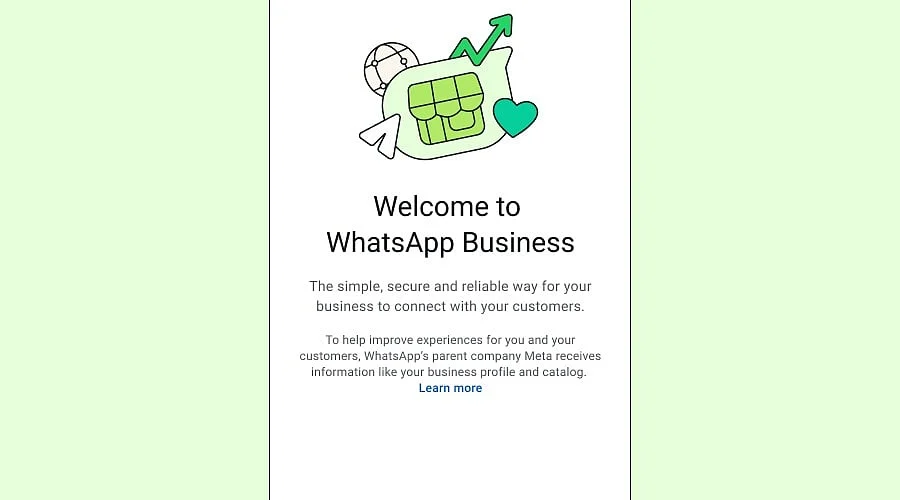
Overview:
-
Small businesses, retailers, and service providers can utilize WhatsApp Business to interact with clients, distribute product details, manage chats, and reply to frequent questions.
-
Everyday customer communication is supported by features like business profiles, quick replies, greeting messages, away messages, and product catalogs.
-
The app is free to download, though certain optional services and advanced business messaging tools may carry extra costs.
Developed by WhatsApp—a part of Meta—WhatsApp Business is a messaging platform tailored for small enterprises looking to talk with patrons, handle questions, showcase merchandise, and offer support. It equips businesses with chat labels, product catalogs, automated texts, quick replies, and business profiles to streamline customer interactions.
Download WhatsApp Business
Users can acquire WhatsApp Business via the Apple App Store for iPhones or Google Play for Android devices. Additionally, the application connects to compatible desktop systems through linked-device functions and WhatsApp Web.
Official download: WhatsApp Business
Android users are directed to the Google Play Store, whereas iPhone users can access the Apple App Store.
About WhatsApp Business
Tailored for independent professionals, retailers, small enterprises, and service providers, WhatsApp Business simplifies customer communication. It pairs familiar messaging functions from standard WhatsApp with tools built specifically for commercial purposes.
Organizations can set up profiles containing their website, description, address, email, and additional details. Merchandise can be displayed using product catalogs, while specialized messaging functions assist in sharing information and addressing inquiries.
The platform aids with order questions, customer service, promotional efforts, appointment scheduling, and post-sale interactions. Enterprises needing heavy-duty integrations or large-scale messaging can look into the separate WhatsApp Business Platform.
Key Features of WhatsApp Business
Business profile: Showcase website links, contact info, and business specifics.
Quick replies: Store frequently used replies to handle common questions more quickly.
Automated messages: Set up away messages and greetings where supported.
Chat labels: Sort chats into categories like finished sales, open orders, and new inquiries.
Product catalog: Display services and items right inside chats.
WhatsApp Status: Broadcast announcements, offers, and updates to clients.
Linked devices: View chats across supported hardware.
Customer engagement: Maintain client relationships via calls, messaging, and compatible promotional functions.
Business integrations: Link with outside tools through eligible business solutions.
Availability of features differs based on the application version, account type, and country.
Is WhatsApp Business Free?
Core business tools and messaging come with the free download of WhatsApp Business, which features no standard app subscription fee. However, certain tools are not free. Optional paid additions, like Meta Verified, may be accessible, and the WhatsApp Business Platform can carry third-party fees and message charges. Standard data costs might also apply.
WhatsApp Business Compatibility / System Requirements
Compatible iPhones and Android smartphones can run WhatsApp Business. Customers should verify the Apple App Store or Google Play Store listings to find the minimum operating system version required.
Desktop use requires WhatsApp Web or supported linked devices. A valid telephone number and a stable internet connection are mandatory to set up an account.
If transitioning from standard WhatsApp, make sure to read the migration and backup guides before changing accounts.
How to Use WhatsApp Business
-
Get the software from the official app marketplace.
-
Launch it and agree to the terms of service.
-
Sign up and verify your business telephone number.
-
Build a business profile containing your description, name, category, and contact specifics.
-
Set up quick replies, away messages, and greetings.
-
Populate your catalog with available services or products, where available.
-
Sort discussions using labels and answer client questions.
-
Connect supported devices if computer access is required.
Pros and Cons of WhatsApp Business
Pros
-
Simple messaging layout.
-
Product catalog and business profile capabilities.
-
Automated messages and quick replies.
-
Helpful for order questions and customer support.
-
Core app is available for free.
-
Support for linked devices.
Cons
-
Registration requires a phone number.
-
Advanced functions may incur extra costs.
-
Not built for every heavy-duty customer support process.
-
Market differences affect feature availability.
-
Firms must respect consumer consent and steer clear of unsolicited messaging.
Best Alternatives to WhatsApp Business
Telegram Business brings enterprise-focused text functions directly to Telegram. Viber for Business provides business messaging solutions and customer outreach. To interact with buyers via Facebook, companies can use Facebook Messenger. For team communication and integrations, Slack is a strong choice, whereas Microsoft Teams fits internal collaboration best.
Organizations seeking large-scale customer messaging, automated workflows, or CRM integration should evaluate the regional support, features, and pricing of each platform.
Related Software
WhatsApp Messenger serves as the basic application for personal chats. For extensive business messaging and integrations, the WhatsApp Business Platform is available. Meta Business Suite aids companies in managing their footprint across Meta ecosystems, and Facebook Messenger supplies another avenue for buyer conversations. When deeper customer service workflows or sales tracking are required, CRM platforms and support software act as great additions to WhatsApp Business.
You May Also Like
WhatsApp Business Platform Gets New Pricing: Who Will Pay from October 1?
How to Use WhatsApp Web for Business?
AI and WhatsApp for Business: Unlocking New Levels of Customer Satisfaction
FAQs
What is WhatsApp Business?
Designed for corporate communication with buyers, WhatsApp Business is a messaging app. It supplies product catalogs, automated greetings, chat labels, quick replies, and business profiles to streamline everyday corporate discussions and client questions.
Can I use WhatsApp Business on my computer?
Yes, WhatsApp Web and supported linked devices let you access WhatsApp Business chats. Computer access enables organizations to reply to client inquiries using a PC. Setup demands and feature access can differ based on the account and device type.
What are the main features of WhatsApp Business?
Linked-device access, chat labels, away messages, greeting messages, quick replies, product catalogs, and business profiles make up the core features of WhatsApp Business. These utilities assist companies in handling discussions, showcasing inventory, addressing frequently asked questions, and staying in touch with current and prospective patrons.
What is the difference between WhatsApp and WhatsApp Business?
While WhatsApp Messenger focuses on personal communication, WhatsApp Business incorporates tools tailored for commerce, including product catalogs, business profiles, automated replies, and chat labels. Both apps handle messaging, yet their toolsets suit distinct communication goals.
Can WhatsApp Business be used by large companies?
Large companies are able to utilize WhatsApp Business solutions, though their operational needs might outgrow the standard mobile application. Advanced automation, integrations, and messaging workflows are supported by the WhatsApp Business Platform. Implementation criteria, availability, and costs vary based on the chosen option.