Overview:
-
An aging computer can function as a centralized home media server capable of storing and streaming personal files, music, photos, and movies.
-
While Direct Play demands minimal processing resources, video transcoding calls for capable hardware and compatible video acceleration.
-
Overall server performance depends on several factors, including storage capacity, software selection, network reliability, power consumption, backup routines, and secure remote access.
A computer’s capability to host a home media server relies primarily on whether users need to convert video formats on the fly, rather than on its age. By leveraging free software and inexpensive hardware additions, you can easily repurpose a desktop into a central hub that streams your entire library of photos, music, and movies to any screen in your household.
What a Media Server Does
A media server consolidates files into a single location, enriches each title with cast lists, descriptions, and cover art, and transmits the content to a tablet, phone, or television over your local home network.
Direct Play vs Transcoding
Direct Play happens when the playback device natively understands the file format, allowing the server to simply pass the data along. This method requires very little computing power, even when streaming 4K video. Conversely, transcoding forces the server to convert the file on the fly for devices lacking native playback support. This intensive workload can cause stuttering if the processor is underpowered.
Hardware age matters less than the frequency of transcoding. The complimentary utility MediaInfo displays the bitrate and codec of any media file, which can then be cross-referenced against the specifications supported by your phone or television. Once the server is operational, dashboards within platforms like Plex and Jellyfin indicate whether a stream is being converted or played directly.
Hardware Needs
A basic setup dedicated to Direct Play can function adequately with 4 GB of RAM and a dual-core processor. However, heavy transcoding and simultaneous streams demand more robust hardware. When transcoding, hardware video acceleration provides the most significant performance boost; for instance, Intel processors from the 7th generation (2017) and later typically offer hardware decoding for 10-bit HEVC, though you should verify your specific processor model and server application.
Because a typical 1080p movie consumes between 2 GB and 10 GB, a 4 TB hard drive makes a practical starting point, ideally paired with a small SSD for the operating system. While Wi-Fi easily handles most video streams, a wired Ethernet connection delivers the most consistent results, especially for high-bitrate 4K files that surpass 80 Mbps.
Software Choices
Jellyfin appeals to users seeking complete control at no cost. Because Plex modifies its terms frequently, it is wise to review their current subscription plans.
Step-by-Step Setup
-
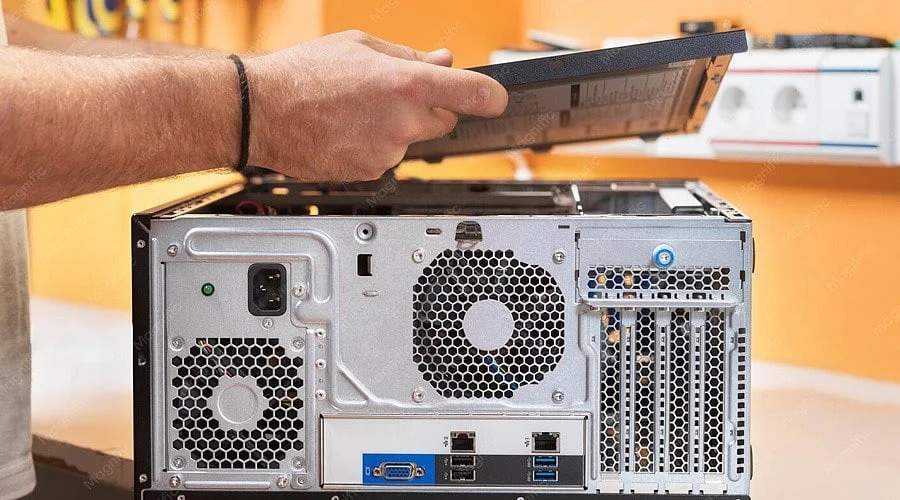
Machine Check: Clean out dust and verify that all fans function correctly. Perform a SMART health test on each hard drive since older storage media can fail without warning. Measure idle power consumption using a plug-in meter if the PC will run continuously.
-
Operating System: With support for Windows 10 concluding in October 2025, any machine unable to run Windows 11 can instead be equipped with a regularly updated, supported release of Debian or Ubuntu.
-
Files: Organize television shows and movies into clearly labeled, distinct folders—such as Show Name/Season 01 and Movie Name (2010)—to help media software correctly fetch matching artwork.
-
Libraries: Input each folder directory through the web interface of your chosen server software and initiate a scan.
-
Fixed Address: Configure a reserved IP address via your router settings to ensure client applications can consistently locate the computer.
-
Apps: Install the appropriate client application on your streaming stick, television, tablet, and smartphone.
Remote Access and Other Uses
For streaming outside the home network, utilizing a private network tool such as Tailscale is both safer and easier for beginners than opening router ports, establishing an encrypted bridge between devices.
Additionally, the server can share files throughout the house and stream music to mobile devices. Self-hosted platforms like Immich offer an effective solution for managing and backing up personal photo libraries.
Running Costs
Electricity represents the primary operational expense. Monthly kilowatt-hours are calculated by multiplying wattage by 24 hours and 30 days, then dividing by 1,000. For example, a 50-watt PC running continuously consumes approximately 36 kWh monthly, which is then multiplied by your local utility rate. Configuring the server to sleep when not in use helps minimize this expense.
Also Read: How to Download Your Google Account Data
Three Mistakes to Avoid
RAID is not a backup solution; it protects solely against hardware failure rather than accidental deletion, malware, or power surges. Irreplaceable data like family photos require a secondary backup copy. Furthermore, neglecting software updates leaves networked servers vulnerable, making automatic updates crucial. Finally, operating with unlicensed content should be avoided—libraries ought to consist exclusively of legally acquired or owned media.
Also Read: How to Do a Reverse Image Search on Google from Your iPhone or Android Phone
Final Thoughts
As commercial streaming catalogs continue to fluctuate and titles vanish, maintaining a personal media library on hardware you already own ensures constant availability. Once your initial server is running smoothly, the same machine can expand into a comprehensive household storage hub, prepared to accommodate whatever new formats emerge.
You May Also Like:
How to Turn Off Instagram Activity Status: Tricks You Need to Know
How Automatic Smart Cat Feeders Are Bringing IoT Into the Connected Home
How Text-to-Image AI Works, What AI Image Generators Can Create
FAQs
1. Can any old PC work as a media server?
Many older computers are suitable. A dual-core CPU with 4 GB of RAM suffices for Direct Play scenarios where playback devices read native formats. However, multiple simultaneous viewers or heavy transcoding require more capable hardware. Always perform drive health diagnostics before trusting data to an older machine.
2. How can someone tell if transcoding will be needed?
The free utility MediaInfo displays the bitrate and codec of individual media files. If your television or phone natively supports those encodings, Direct Play is utilized. Following setup, Plex and Jellyfin dashboards indicate whether a stream is converted or direct.
3. Is Jellyfin or Plex the better choice for an old PC?
Jellyfin is entirely free and open source, operating without subscription fees or cloud accounts. While Plex offers polished client apps across numerous devices, advanced features like remote streaming and hardware transcoding typically require a paid subscription. Because Plex terms change frequently, reviewing current plans is recommended.
4. Is it safe to watch the library away from home?
Employing a private networking solution like Tailscale is simpler and more secure for beginners than opening router ports, creating an encrypted connection between your devices. Enabling automatic server updates adds an extra layer of security.
5. How much does it cost to run, and does RAID protect the files?
A computer pulling 50 watts constantly uses roughly 36 kWh per month, which can be calculated using local utility rates. Keep in mind that RAID safeguards only against a single drive failure; irreplaceable media, such as personal family videos, still require an independent backup copy.