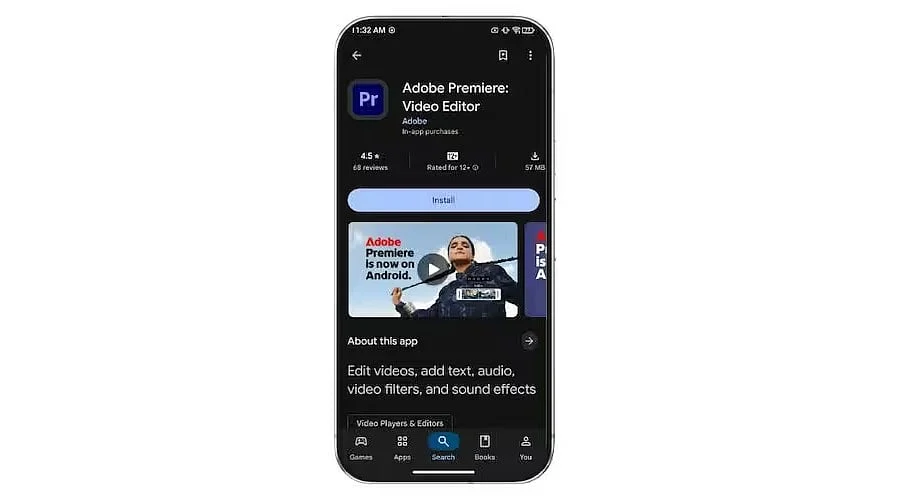
Overview :
-
Adobe Premiere on Android brings a multi-track editing workflow with frame-accurate controls, templates, effects, transitions, and audio tools.
-
Firefly-powered features add generative capabilities such as image-to-video and sound-effect creation, while basic editing remains free.
-
The app supports watermark-free 4K exports on compatible Android devices, with keyframes, cropping, and desktop project continuity still in development.
Adobe has added unlimited 4K exports, with no watermark, to a free Android app, a capability rare among mobile editors where most mark exported clips or lock high resolutions behind a paid subscription. Released on September 22, 2026, Adobe Premiere on Android redefines the capabilities of a free phone editing tool.
A Late Arrival With a Clear Purpose
Following the iPhone release in September 2025, Android users waited a year for their version, leaving an opening for competitors. Business Standard identifies CapCut and VN as the primary rivals, and Android Police noted the Android app had already surpassed 50,000 downloads upon its reporting.
The application succeeds Premiere Rush, the legacy mobile editor which cost USD 9.99 per month or required a Creative Cloud subscription, according to Android Police, which also reported that Rush offered fewer features than the new release.
Adobe ended new downloads of Premiere Rush in 2025, with installed versions scheduled to cease functioning on September 30, 2026. The new software is an independent mobile application rather than a scaled-down adaptation of Premiere Pro.
The Core Editing Tools
At the center of the application is a multi-track timeline that consolidates video, music, text, and effects into a single layered interface. Official product pages indicate that the mobile app permits an unlimited number of tracks, accommodating creators who layer multiple clips, titles, and audio elements.
Frame-accurate controls allow edits to be positioned on exact frames. Beginners can utilize creator-made templates to expedite their initial edits, while effects, transitions, and music are sourced from Adobe Stock, local files, or audio extracted directly from video footage.
Enhance Audio provides a targeted solution for background noise common in phone recordings, using a single tap to clarify interviews and voiceovers. This tool may offer significant time savings for vloggers and podcast snippet creators compared to any standard AI feature.
How the AI Tools Work
The launch announcement details three Firefly-powered tools: Generative Fill modifies specific areas of a clip via text prompts, Image-to-Video transforms still images into brief moving clips, and Generate Sound Effects creates audio from written descriptions. These functions address distinct requirements such as minor visual corrections, photo-based media creation, and audio gaps.
These capabilities operate on a credit system, where credits may be purchased separately or obtained through most Creative Cloud plans, while extra cloud storage is sold independently. Essential editing features remain free, and Adobe states that Firefly is trained exclusively on content for which it holds usage rights.
This structure preserves a clear distinction where free editing serves as the core product and AI acts as an optional add-on, meaning creators who strictly trim and layer footage incur no charges.
4K Video Editing Without Extra Cost
The application handles editing and exporting video resolutions up to 4K. According to Adobe’s product documentation, the free tier permits unlimited 4K exports devoid of watermarks, advertisements, forced logins, or upgrade prompts.
Certain connected features likely involve restrictions; Adobe’s iPhone support guidelines indicate that AI tools and free stock assets necessitate an Adobe account, a requirement Android is expected to share.
By departing from the industry standard of adding watermarks or restricting high resolutions to paying users, Adobe lowers financial hurdles. This allows short-form creators to publish in high resolution and test the editor on actual projects before committing to paid alternatives.
Available Now and Still Coming
Adobe has openly outlined features currently absent from the software compared to those planned for future releases.
Integration with desktop environments is particularly significant; Adobe indicates that importing mobile projects into desktop Premiere requires a paid desktop subscription, and Android users must await this capability. While some initial reports identified cropping as an existing tool, Adobe categorizes it alongside motion-controlling keyframes as upcoming features essential for routine editing.
Device Needs and Best Fit
Running the application requires Android 13 or later alongside a minimum of 5GB of RAM, excluding numerous older and budget devices. 9to5Google notes that the software is optimized for foldable phones, dynamically rearranging the timeline and preview interfaces to maximize screen space.
The platform delivers the highest value to Short-form creators get clean 4K exports, vloggers and podcasters needing rapid audio cleanup, and beginners seeking templates and streamlined layouts. Conversely, users dependent on keyframes or immediate desktop handoff may prefer to delay adoption.
Also Read: Adobe Premiere’s Latest Update Uses AI to Improve Masking Features
What Comes Next
Future reception will depend heavily on upcoming updates, including keyframes for enhanced animation control and desktop continuity for seamless transitions to larger screens, both of which Adobe has promised soon without specifying exact release dates.
Tech Times highlights that Adobe introduced five AI video models to Premiere earlier in the month, demonstrating ongoing artificial intelligence investment across the ecosystem. Until upcoming updates are deployed, the software functions primarily as a robust free starting point rather than a complete editing suite.
Also Read: FL Studio (Fruity Loops) | Music & Audio | Software for Music Production & Audio Editing
Final Thought
Free utilities are establishing new standards for mobile video production. When a major software vendor removes export restrictions, competitors are forced to either match the offering or differentiate through alternative strengths, ultimately benefiting content creators as the market responds in upcoming update cycles.
You May Also Like:
Best Free Video Editing Software Without Watermarks: Top 5 Picks for 2026
Google Unveils Gemini 2.5 Pro I/O Edition: Revolutionizing Software Development
YouTube 2026 Update: AI Editing, Ask YouTube Shopping, Shorts Series Announced
FAQs
1. Is Adobe Premiere available on Android?
Yes. Adobe Premiere launched on Android on September 22, 2026, and is available as a free download through Google Play.
2. Can Adobe Premiere on Android export videos in 4K?
Yes. The app supports up to 4K video export without watermarks, including unlimited 4K exports under its free offering.
3. Does Adobe Premiere on Android have AI features?
Yes. Adobe offers Firefly-powered generative tools, including Generative Fill, Image-to-Video and Generate Sound Effects.
4. What Android devices support Adobe Premiere?
The app requires Android 13 or newer and at least 5GB of RAM. Compatibility may vary depending on the device.
5. Does Adobe Premiere on Android support desktop editing?
Not yet. Continued project editing between Android and Premiere on desktop is listed by Adobe as a feature coming soon.