Overview:
-
Navigate to Apple’s official Developer Account portal to initiate a secure login.
-
Provide your Apple Account credentials and finish the two-factor authentication steps whenever prompted during the sign-in sequence.
-
View provisioning profiles, certificates, identifiers, and developer utilities according to your active membership tier and designated permissions.
An Apple Developer account proves vital for developers seeking to create applications, administer developer assets, or distribute software across the tech ecosystem. The authentication workflow requires signing in with an Apple Account, clearing security verification when requested, and utilizing the tools corresponding to your specific membership and user role.
Whether operating independently or as part of a larger corporate team, understanding the proper sign-in procedure and troubleshooting standard authentication obstacles ensures you reach necessary resources without delays.
How to Log in to Your Apple Developer Account
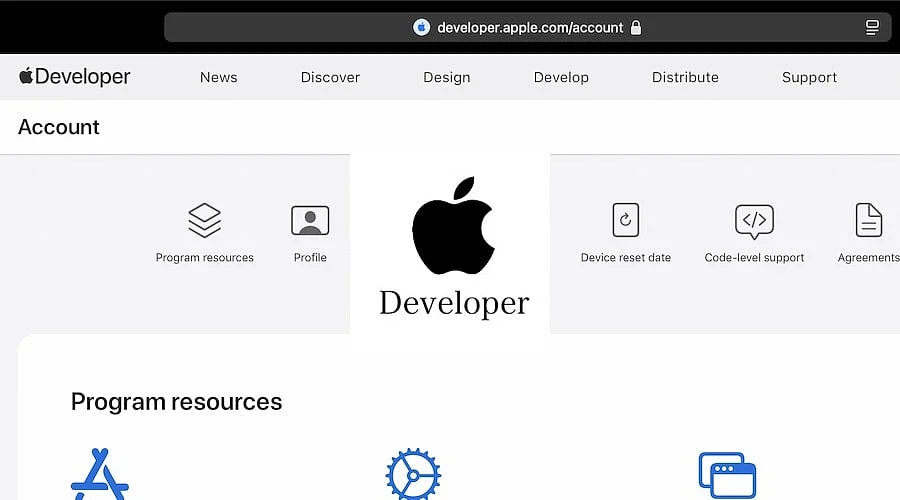
The initial step requires navigating to Apple’s designated Developer Account platform. Users can access this portal at https://developer.apple.com/account/ and click the Account link if prompted.
Step 1: Open the Official Apple Developer Website
To reach an Apple Developer profile, head to the official developer hub at https://developer.apple.com/account/. This webpage serves as the primary gateway for developers administering their profiles and retrieving programming assets.
Before typing any confidential login data, users must verify the web address. Relying on Apple’s legitimate domain minimizes the danger of submitting private data to fraudulent phishing sites. The portal grants access to developer features contingent upon the user’s standing and authorization levels.
Step 2: Enter Your Apple Account Details
Once the portal loads, log in utilizing the password alongside the email address or telephone number linked to your Apple Account, previously recognized as an Apple ID.
Employing accurate login data remains critical, particularly for individuals already enrolled in the Apple Developer Program. The profile utilized for signing in must correspond precisely with the Apple Account tied to your developer subscription. Utilizing a different profile may block your ability to review membership specifications or load tools tied to your developer credentials.
If you maintain multiple Apple Accounts, confirm which one was utilized during the initial registration before moving forward.
Step 3: Complete the Verification Process
Apple may demand an extra verification checkpoint during the sign-in phase. When prompted, input the security code dispatched to a trusted phone number or Apple hardware device.
Two-factor authentication is mandatory for specific developer platform functions. Users must conclude this confirmation phase to unlock services that mandate it.
Should the code fail to appear, inspect the trusted telephone number or hardware linked to your Apple Account. Users must also confirm they possess active access to the registered device or number prior to attempting another sign-in.
Step 4: Access the Developer Dashboard
Upon completing a successful login, users can inspect their membership particulars and utilize the developer assets assigned to them.
These assets may encompass provisioning profiles, identifiers, certificates, and additional software utilities. The precise options visible hinge on the user’s Apple Developer Program subscription level and allocated role.
Developers collaborating within an enterprise framework might experience distinct permission scopes compared to administrators or Account Holders. Certain utilities may remain hidden until appropriate authorizations are assigned.
Once inside the main dashboard, participants can examine available utilities and administer their developer profile according to their authorization rights.
Also Read: Apple October 13 Event: New Smart Home Hub, Siri AI Expecte
What if You Don’t Have an Apple Developer Account?
Individuals retain the option to register a complimentary Apple Developer account leveraging a pre-existing Apple Account. Nevertheless, developers intending to leverage App Store infrastructure to deploy applications must secure a paid Apple Developer Program subscription.
Apple bills an annual subscription charge of USD 99, though regional pricing can fluctuate. Registration details remain accessible on the Apple Developer Program website at www.developer.apple.com/programs/.
How to Fix Common Apple Developer Login Problems
Authentication failures can arise due to multiple factors, such as misremembered passwords, verification hurdles, or inaccurate login credentials.
Users who have lost their passwords can navigate to https://iforgot.apple.com/ to start the Apple Account recovery workflow.
If authentication codes fail to arrive, verify an authorized telephone number or trusted hardware item. Should the developer membership fail to populate post-login, users must verify they signed in with the identical Apple Account employed during program enrollment.
Developers requiring entry to App Store Connect are encouraged to visit https://appstoreconnect.apple.com/ and sign in via their developer profile. Platform navigation and feature access depend heavily on active user permissions.
For corporate profiles, the administrator or organization Account Holder maintains vital responsibilities regarding the verification of team permissions and memberships.
Also Read: Oura Ring 5 vs Apple Watch Series 12: Which One Should You Buy?
Where to Get Official Support
Apple supplies dedicated resources designed to assist users in managing their developer accounts and resolving any access barriers they encounter. Developers should consult https://developer.apple.com/help/account/ for guidance regarding Apple developer profile maintenance.
Furthermore, participants must adhere to specific safeguards when troubleshooting access issues. No individual—including entities posing as support representatives—should ever receive your Apple Account password or six-digit security pin.
For all developers, maintaining strict profile security alongside utilizing the correct Apple Account prevents avoidable authentication complications.
FAQs
1. How do I log in to my Apple Developer account?
Go to developer.apple.com/account, type in your Apple Account credentials, and clear the security verification if requested to load accessible developer assets.
2. Can I access an Apple Developer account for free?
Yes, you can sign up at no cost using an existing Apple Account, though publishing software generally mandates a paid Developer Program subscription.
3. What should I do if I forget my Apple Account password?
Navigate to iforgot.apple.com to kick off profile recovery and execute Apple’s prompts to securely reset your password.
4. Why can’t I access my Apple Developer membership?
You may be utilizing the incorrect Apple Account. Log back in with the credentials utilized during registration or reach out to your team’s administrator.
5. How much does Apple Developer Program membership cost?
Apple sets the standard subscription at USD 99 per year, though regional pricing differs across specific countries and territories.