Overview
-
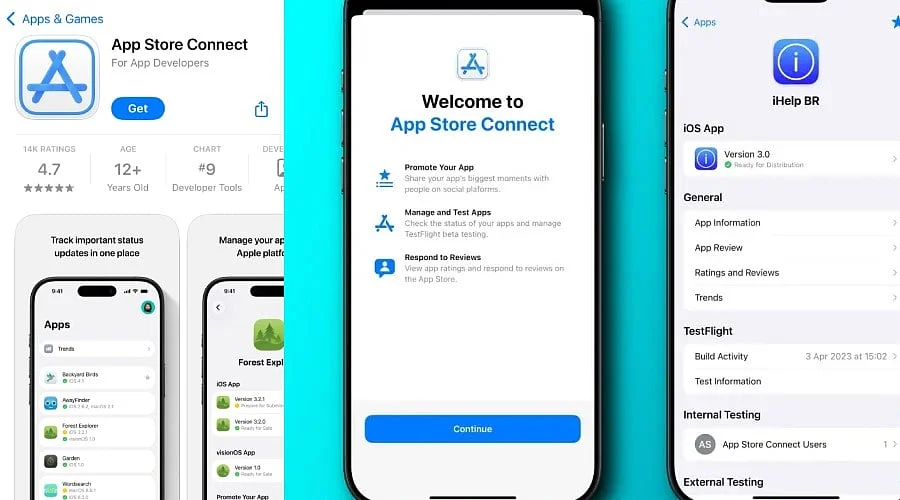
Submit iOS apps, manage listings, and prepare builds through App Store Connect.
-
Test applications with users through TestFlight before releasing them publicly.
-
Monitor app performance and manage updates after applications reach users.
For developers building apps for Apple devices, creating the software is only part of the journey. Before an iPhone or iPad application can reach users via the App Store, developers must submit it to Apple and handle its listing, testing, releases, and performance within App Store Connect.
Apple’s App Store Connect provides developers with the necessary tools to get an app ready for distribution, send it in for review, and oversee it post-publication. The platform also centralizes the data developers require to track an app’s performance and user engagement.
What is App Store Connect?
App Store Connect is Apple’s central platform for administering apps distributed on the App Store. Creators can utilize it to send in new programs, supply details for their App Store listings, and supervise updates for applications that are already live.
The platform also facilitates testing prior to a public launch. Developers can leverage TestFlight to send beta editions of their applications to testers, assisting them in spotting bugs and gathering input ahead of a broader release.
This functionality establishes App Store Connect as a crucial element of the publishing workflow for developers.
Create an App Record Before Submission
Prior to uploading any software, a developer needs to establish an app record inside App Store Connect. This registers the application within Apple’s system and acts as the foundation for its App Store presence.
Provide the app title, synopsis, search keywords, and other required metadata. Assemble screenshots and any other mandatory assets in accordance with Apple’s guidelines.
These particulars are vital because they educate users regarding the services offered by the application.
Also Read: Top Productivity Apps for iPhone
Upload the App for Review
Developers are able to upload a build for submission after finishing the app and store metadata. They can employ Apple’s native development and distribution utilities, such as Xcode.
Once the build has been integrated into App Store Connect, developers can pick the specific version they wish to put forward and supply any requested data. Apple will then evaluate the application and, upon approval, make it downloadable on the App Store.
In short, the program must be fully finished and functional prior to submission.
Use TestFlight Before Launch
TestFlight lets developers roll out beta versions of their applications to testers ahead of an official launch. This testing phase helps creators uncover technical bugs, user experience hurdles, and other defects that went unnoticed during initial development.
Programmers can subsequently apply this tester feedback to refine the app before sending it to the App Store.
Also Read: Google Gemini | Artificial Intelligence | App for AI Assistance & Productivity
Manage App Updates and Releases
App Store Connect remains a vital service even after the software goes live. The portal allows creators to refresh and submit subsequent iterations of their application.
Every update can incorporate a fresh build, updated metadata, and other essential details. The timing for releasing a version depends upon the chosen deployment options. This capability ensures ongoing support for the software post-launch.
Monitor App Performance
App management does not conclude once the software debuts on the App Store. App Store Connect grants developers access to metrics that provide insights into how their programs perform in the wild.
Creators can view analytics and associated data concerning their programs, which proves helpful for assessing different performance metrics of the application.
Keep App Information Updated
Developers must likewise verify that App Store listings stay relevant whenever they modify or upgrade the app.
Ensure that users receive all relevant details regarding the app and its features. For individuals aiming to build a long-term presence in Apple’s marketplaces, App Store Connect serves as the central command for all App Store activities, ranging from preparing and testing the program with users to updating it and analyzing its metrics.
Although the workflow demands some upfront preparation, developers can utilize App Store Connect systematically to guide their app from initial coding to launch and beyond.
FAQs
What is App Store Connect?
App Store Connect is Apple’s platform for submitting, testing, publishing, updating, and monitoring applications distributed through the App Store.
How do developers submit an iOS app?
Developers create an app record, upload a build, complete required information, and submit the application for Apple’s review process.
What is TestFlight used for?
TestFlight allows developers to distribute beta app versions to testers, helping identify technical issues and collect feedback before public release.
Can developers manage app updates through App Store Connect?
Yes, developers can submit new builds, update metadata, manage releases, and deliver improvements, features, and fixes through App Store Connect.
Can developers monitor app performance?
Yes, App Store Connect provides analytics and performance information that helps developers understand downloads, engagement, and other application activity.