Key Takeaways –
-
One UI 9 integrates Galaxy AI capabilities such as My FanCam, Now Nudge, and an upgraded Now Brief.
-
Samsung introduces robust privacy and security features, including Privacy Alerts, Security Brief, and Scam Detection.
-
The distribution schedule depends on the specific Galaxy device, region, language, carrier, and hardware compatibility.
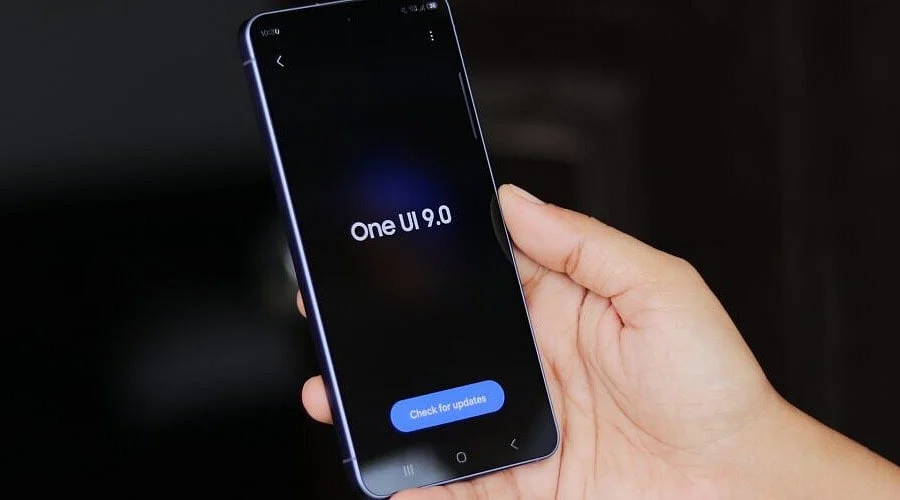
The One UI 9 update represents the next significant software iteration for Galaxy smartphones. Powered by Android 17, the fresh interface incorporates additional Galaxy AI capabilities, enhanced privacy safeguards, more intelligent daily assistance, and numerous practical adjustments across native Samsung applications. The initial stable deployment reached the Galaxy Z Fold8 Ultra, Galaxy Z Fold8, and Galaxy Z Flip8. Following this, Samsung initiated a broader rollout for the Galaxy S26, S26+, and S26 Ultra on September 16.
One UI 9 Makes Galaxy AI More Useful
Among the most prominent additions is My FanCam. This function tracks a chosen individual within a recorded video to keep them centered in the frame. Additionally, the software dynamically adjusts the framing as the environment shifts. This proves helpful when filming a child at a school performance, a companion at a gathering, or athletic action. Utilizing My FanCam requires a Samsung Account, and outcomes may differ depending on the specific video.
Now Brief undergoes a substantial redesign featuring Generative and Editable Cards. These cards enable Galaxy users to curate the categories of information displayed within their daily summaries, incorporating elements like weather, health, and video. Furthermore, Samsung introduces Now Nudge, which delivers context-sensitive prompts during relevant instances. For instance, a text exchange concerning a trip can surface reservation details or provide a shortcut to save a shared location without exiting the chat.
Creative Studio assumes a more proactive role as well, with Samsung capable of suggesting image concepts tied directly to calendar events. A peer’s birthday, as an example, can trigger prompts for a greeting or themed graphic. This integration embeds more of Samsung’s AI tools into standard Galaxy workflows rather than segregating them into standalone applications.
Better Tools for Calls, Documents, and Daily Tasks
One UI 9 delivers valuable enhancements to Interpreter, Samsung’s translation utility. A new Thread View assists users in tracking earlier segments of a translated dialogue. Conversation Mode benefits from accelerated translations, and compatible Galaxy Buds can supply faster translated audio output. Language support continues to fluctuate based on the user’s country, carrier, and hardware.
Document Scan performance improves for challenging layouts like curved book bindings and sheets with creased corners. Supported large-screen Galaxy devices also receive optimized scanning layouts, alongside an upgraded Finger Eraser. Meanwhile, Voice Recorder can now organize summaries using headings and tables, bringing structure to lengthy audio files and simplifying the retrieval of essential details.
Additionally, Samsung embeds Warranty and Care directly within the Settings menu. This section displays warranty status for linked hardware, executes self-diagnostics, estimates repair costs, and grants entry to service bookings or Samsung Care+. Specific functionalities can differ by territory and equipment.
Stronger Privacy and a Wider Rollout
Security receives heightened emphasis in One UI 9. The Security Brief function injects warnings concerning malware, side-loaded applications, and unnecessary permissions directly into the Now Brief. Privacy Alerts employ on-device AI to detect potential security vulnerabilities, such as unauthorized background permission access. Concurrently, Scam Detection broadens its reach to additional nations and languages, with Samsung highlighting Canada, Japan, and India among the targeted territories.
The user interface also undergoes practical refinements. The Quick Panel affords greater layout customization, offering independent adjustment sliders for volume, display brightness, and media playback. Samsung includes accessibility enhancements such as variable Mouse Key velocity, a unified TalkBack suite, and Text Spotlight, which magnifies chosen text inside a floating window.
As of September 29, the stable distribution has moved past the initial Galaxy S26 launch phase. Samsung confirmed the expanded rollout of One UI 9, while current data indicates stable builds running on Galaxy S26 models across the United States and the Galaxy S25 lineup in South Korea. The Galaxy S25 Edge and S25 FE have also received stable builds domestically in South Korea. Availability for other hardware and territories remains tied to Samsung’s timeline, varying by region, device model, carrier, and language.
Consequently, One UI 9 extends far beyond a standard Android platform upgrade. Android 17 serves as the foundation, upon which Samsung layers device-specific AI, privacy protections, camera enhancements, document utilities, translation improvements, and UI modifications. Ultimately, this software release embeds more functional capabilities into daily Galaxy applications, though the exact feature availability ultimately relies on the specific market and hardware edition.