Overview
-
WordPress serves as a free, open-source content management system used to build websites, blogs, and e-commerce stores.
-
The platform comes equipped with visual editing instruments, customizable themes, and plugins designed to expand site features.
-
Self-hosted setups require a web host running PHP 8.3 or higher alongside a MySQL or MariaDB database.
Operating as a free, open-source content management system, WordPress enables individuals and organizations to develop and manage sites, blogs, and online shops without needing to write code from scratch. Originating in 2003, the software currently drives a massive portion of websites globally, according to usage statistics tracked by W3Techs. It remains a top option for creators, publishers, and businesses seeking total autonomy over their web properties.
Download WordPress
The platform is available in two distinct editions. Through WordPress.org, users obtain the free, open-source software to deploy on an independent web hosting account, granting maximum control over themes, content, plugins, and hosting environments. Conversely, WordPress.com operates as an alternative hosted platform that manages technical configurations while providing both complimentary and paid subscription tiers.
Download WordPress: https://wordpress.org/download/
Operating the self-hosted variant necessitates a domain name, web hosting space, and connectivity to a supported database. Many hosting providers facilitate quick deployment by offering one-click WordPress installations, simplifying the initial launch process.
About WordPress
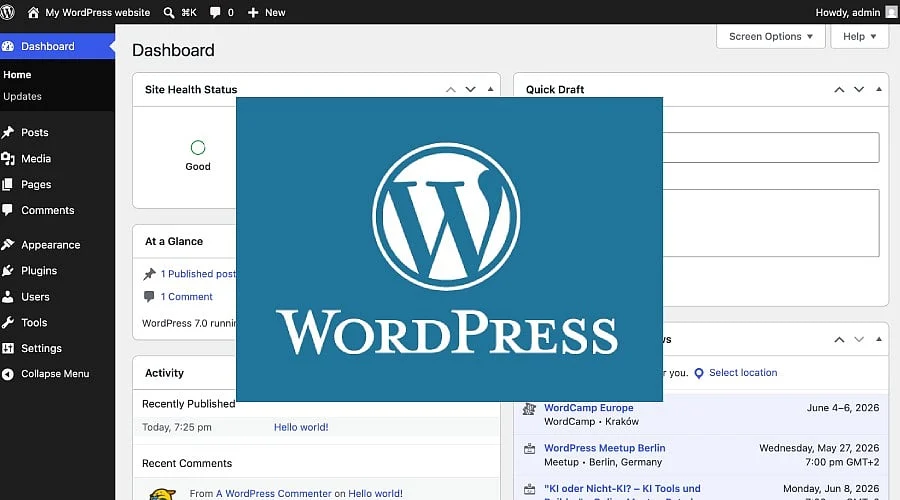
A centralized dashboard is provided by WordPress for creating, modifying, publishing, and organizing site material. It accommodates traditional pages and posts alongside media assets like videos, images, embedded elements, and galleries. Furthermore, the built-in visual editor permits users to design and alter layouts without manually coding every adjustment.
Built on PHP, WordPress relies on MariaDB or MySQL for data storage. The WordPress.org project advises running PHP version 8.3 or newer, paired with MariaDB 10.6+ or MySQL 8.0+. Because older editions may lack critical security patches, running supported software versions is essential.
Overall aesthetic layouts and designs are dictated by themes, while plugins introduce specialized capabilities such as search functionality, security enhancements, contact forms, caching, and online store integrations. For instance, incorporating WooCommerce transforms a standard site into a functional e-commerce storefront. Creators can select from vast catalogs of complimentary themes and plugins, alongside premium options sold by independent developers.
How to Use WordPress
-
Choose hosting and a domain: Select a hosting provider compatible with WordPress technical requirements and purchase a domain name for the site.
-
Install WordPress: Deploy the software via your host’s one-click installation feature or download the package directly from WordPress.org for manual setup.
-
Choose a theme: Pick a paid or free theme tailored to the website’s purpose, then fine-tune its design details, colors, and structure.
-
Create pages and content: Populate the site using the WordPress editor to add videos, text, galleries, images, and other media.
-
Install plugins: Integrate plugins to support specific needs like security modules, speed optimization, contact forms, search utilities, or e-commerce features.
-
Publish and maintain: Launch your content live and routinely update the core software, themes, and plugins to maintain optimal performance and security.
Also Read: Clear Scan – PDF Scanner | Productivity | App for Document Scanning & PDF Creation
Pros and Cons of WordPress
WordPress Specifications
Is WordPress Worth Using?
For individuals seeking extensive control over their website and the flexibility to scale capabilities as requirements evolve, WordPress proves to be a strong option. Its cost-free core foundation, themes, and plugins accommodate diverse web projects, ranging from online portfolios and blogs to corporate sites and digital storefronts.
The primary consideration involves ongoing maintenance. Self-hosted deployments require site owners to oversee hosting environments, security measures, backups, and software updates—though managed hosting services can absorb some of these responsibilities. Additionally, users must account for independent expenses tied to domain registration and web hosting. Those seeking a streamlined experience with minimal technical oversight might prefer a traditional hosted website builder.
Also Read: NoxPlayer: Features, Download Guide, Pros, Cons, Specifications
Final Thought
WordPress is best suited for individuals who prioritize adaptability regarding site functionality, content management, and visual design. While the core software is entirely free, self-managed websites demand ongoing attention toward security, updates, backups, and hosting logistics. People who favor reduced upkeep may find alternative hosted website solutions simpler to handle.
You May Also Like:
Files by Google: Download, Pros, Cons, How to Use
Google Gemini Windows App is Here: How to Download and Use It
OBS Studio | Video & Streaming | Open-Source Screen Recording, Streaming Software
FAQs
Is WordPress free to use?
The core software located at WordPress.org is completely open source and free. Financial outlays stem from domain registration, web hosting, and optional premium plugins or themes.
Where can I download WordPress?
You can acquire the installation files from the official WordPress.org portal and subsequently set them up on any compatible web hosting account.
What is the difference between WordPress.org and WordPress.com?
WordPress.org supplies free software intended for self-hosting on your choice of web server. In contrast, WordPress.com functions as a managed service operating on Automattic infrastructure, featuring both free and paid tiers.
Does WordPress require coding knowledge?
Routine operations do not necessitate coding skills. The visual editor facilitates page and post development through a graphical interface, though advanced custom adjustments still leverage CSS, HTML, and PHP.