Overview :
-
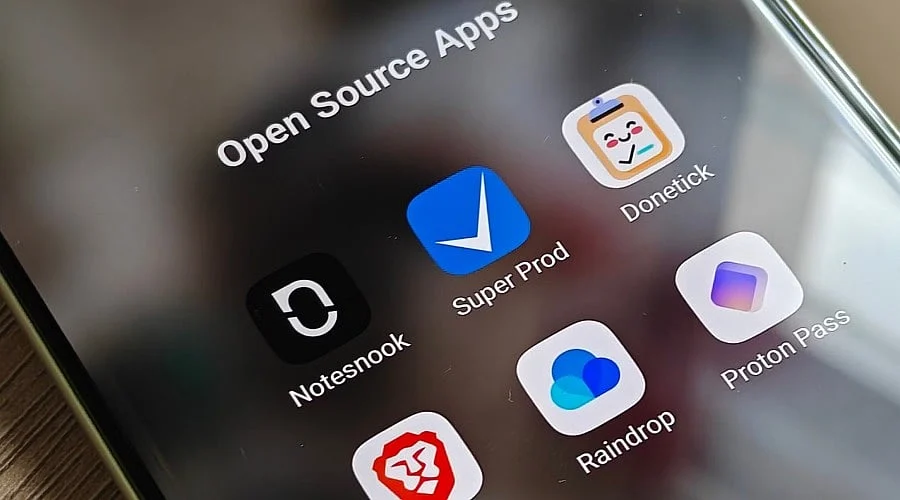
Open-source applications offer substitutes for various daily Google services on Android devices.
-
The selections span navigation, email, video streaming, photo management, file sharing, note-taking, and productivity tools.
-
Android users can select these utilities based on criteria like privacy preferences, offline capabilities, and overall feature sets.
Android device owners aiming to lessen their reliance on Google’s ecosystem can explore a growing array of open-source software. These programs address daily tasks including mapping, electronic mail, media playback, image handling, file transfer, typing inputs, note organization, to-do lists, and software discovery.
A number of these initiatives are distributed via F-Droid, while others are accessible through official web pages or alternative Android channels. The choices also vary in how completely they substitute for Google services, with certain options prioritizing user privacy and local data storage.
Organic Maps Instead of Google Maps
Organic Maps is an open-source mapping utility built upon OpenStreetMap data. It is engineered for offline functionality and accommodates navigation for driving, walking, bicycling, and hiking.
Users can download geographical data for offline use, making the software handy for travel and areas lacking reliable cellular service. It also supports capabilities like tracking routes and importing GPX or KML files.
For individuals who primarily require cartography and guidance independent of Google’s mapping network, Organic Maps supplies a dedicated substitute.
Thunderbird Instead of Gmail
Thunderbird for Android is an open-source email program evolved from the K-9 Mail initiative. Thunderbird formally launched its initial stable Android release in October 2024 after integrating K-9 Mail into the Thunderbird product family.
The application accommodates multiple email addresses and delivers a consolidated inbox, empowering users to oversee personal, educational, and professional accounts from a single interface. Thunderbird notes that the Android edition is obtainable via both Google Play and F-Droid.
The software continues to undergo active development, with a 2026 roadmap centered on foundational maintenance, alert management, data synchronization, and refinements to message lists and views.
LibreTube Instead of YouTube
LibreTube is an open-source alternative client for YouTube that centers on confidentiality. It functions without demanding a YouTube user account or Google Services pre-installed on the device.
The software incorporates features such as SponsorBlock, DeArrow, subscription categorization, playlist bookmarks, and private playlists. Additionally, it can optionally leverage Piped to fetch data and stream videos, while supporting synchronization of subscriptions and playlists across hardware.
Per its active F-Droid catalog entry, LibreTube necessitates Android 8.0 or a newer release.
Also Read: Complete Guide to Creating, Growing, & Monetizing YouTube Channel
Fossify Gallery Instead of Google Photos
Fossify Gallery is an open-source photo and video tool tailored for local media curation. Its F-Droid entry details it as a privacy-centric, advertisement-free gallery featuring integrated photo-editing utilities.
Users can crop, resize, rotate, and mirror images, apply filters, and organize locally retained media. Furthermore, the program can strip EXIF metadata—including GPS coordinates and camera specifications—and supplies PIN, pattern, and fingerprint security.
This makes the tool well-suited for individuals who primarily wish to view and sort pictures kept on their hardware rather than depending on a cloud-hosted gallery.
LocalSend Instead of Quick Share
LocalSend is an open-source utility spanning multiple operating systems that functions as a file-transfer platform across a local area network.
This service removes any requirement for user registration or account login, operating entirely independent of an internet connection.
Users can beam photographs, video segments, documents, and other files between hardware units sharing the same local Wi-Fi network.
LocalSend additionally implements HTTPS encryption and PIN verification.
Heliboard Instead of Gboard
Heliboard is an open-source Android input method designed for individuals seeking alternatives to Gboard. The keyboard encompasses all fundamental text-entry functions while maintaining an open-source framework.
Core features comprise a custom dictionary, gesture typing, emoji search, visual themes, and clipboard memory. This virtual keyboard serves as a strong candidate for those wishing to move away from Google input tools.
Also Read: How Apps Like Google Maps, Amazon, Instagram Monitor Everyday Activity
NotablyX Instead of Google Keep
NotablyX is an open-source note-keeping program tailored for individuals seeking a more locally anchored solution than Google Keep.
Capabilities include notebook organization, search and sorting functions, and multi-tier subtasks. NotablyX permits individuals to secure notebooks utilizing fingerprints or PIN codes.
Consequently, NotablyX can be employed to draft memos and handle daily assignments without depending on Google’s proprietary note system.
Tasks.org Instead of Google Tasks
Tasks.org is an open-source schedule-management application capable of interfacing with Google Tasks while simultaneously supplying its own proprietary tracking framework.
Key attributes consist of repeating tasks, location-triggered reminders, descriptive tags, and push notifications. This provides users with flexible options for arranging personal errands, reminders, and recurrent activities.
Individuals desiring to transition away from Google’s task network can operate Tasks.org independently, though its proprietary cloud sync utility incurs a fee.
Aurora Store Instead of Google Play Store
Aurora Store is an open-source client granting entry to software offerings housed within Google’s Play Store. It supplies an alternate user interface for browsing and downloading Android applications.
This client can be operated without attaching a Google profile and integrates advanced search functions. It can likewise grant entry to programs that might be subject to geographic restrictions.
Nonetheless, individuals ought to verify software origins and requested permissions prior to installing programs via any alternative marketplace client.
VLC Instead of Google’s Media Apps
VLC for Android is a mature open-source media player engineered to process a broad spectrum of audio and video file formats.
It proves especially advantageous for individuals who store media collections locally and desire a dedicated playback utility instead of relying on a device’s default entertainment software.
Thus, VLC acts as a straightforward substitute for users whose primary requirement is local music and video playback.
Open-Source Options Cover More of Android
These 10 applications address various routine operations typically tied to Google’s Android ecosystem. Organic Maps centers on navigation, Thunderbird manages electronic mail, LibreTube supplies an alternate YouTube interface, Fossify Gallery handles local pictures, and LocalSend facilitates device-to-device file transfers.
Additional options target input methods, notes, schedules, software discovery, and media playback. Selecting a specific application rests on individual priorities concerning offline functionality, storage limitations, privacy configurations, cross-platform compatibility, or existing workflows.
Open-source utilities can diminish reliance on a sole provider, though they don’t invariably deliver an exact 1:1 substitute. Attributes such as cloud backups, account synchronization, and platform integration can operate differently; hence, reviewing each project’s actual feature set remains crucial.
FAQs
1.What are open-source Android apps?
Open-source Android apps make their source code publicly available, enabling developers to inspect, alter, and distribute the programming under corresponding licenses.
2.Can open-source apps replace Google apps?
Yes, several open-source utilities provide substitutes for Google Maps, YouTube, Photos, Gmail, Keep, Tasks, Play Store, and related services.
3.Where can users download open-source Android apps?
Users can locate many open-source Android programs through F-Droid, official project websites, and other reliable software distribution networks.
4.Are open-source Android apps free to use?
Numerous open-source programs are free of charge, though certain initiatives might present optional paid services, cloud sync functions, or extra capabilities.
5.Are open-source Android apps safer than proprietary apps?