Overview:
-
Check your device for malware before changing your Microsoft account password.
-
Check recent activity, security methods, mail rules, connected apps, sessions, and suspicious access.
-
Use passwordless authentication, updated recovery methods, and a secure recovery code after regaining control.
A compromised Microsoft account requires more than just a password reset. An attacked account may still feature suspicious sessions, unfamiliar security methods, altered mail rules, linked apps, or stolen access tokens. Microsoft now recommends a comprehensive recovery strategy that begins with an antivirus scan and concludes with enhanced account security. The main objective is not only to restore access but also to eliminate any avenues that could allow an intruder to return.
Start with a Device Security Check
Microsoft recommends performing a complete antivirus check before altering any passwords. A compromised device can easily leak a newly created password shortly after the user sets it up. Running a full scan helps eradicate known threats prior to beginning account recovery.
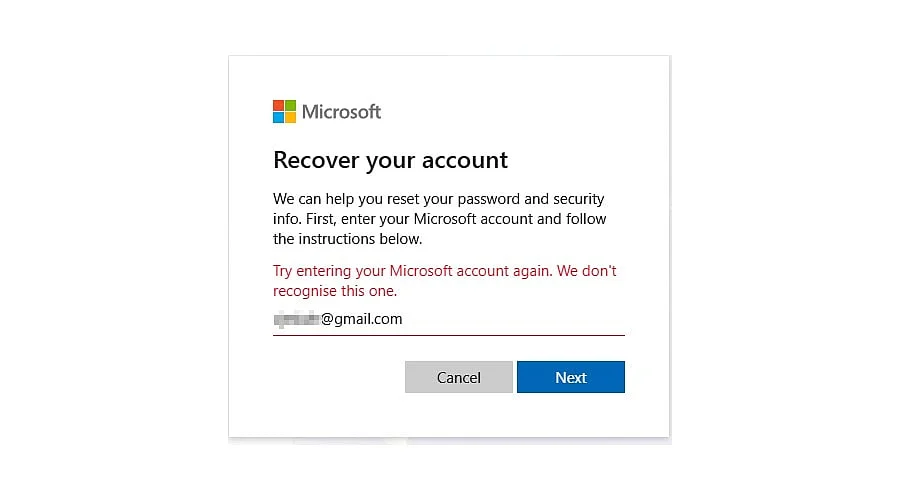
Once the device passes security checks, restoring access to the Microsoft account becomes the priority. If the account still accepts the active password, users can update it through the Microsoft account security settings. If access is already blocked, Microsoft offers its standard password reset procedure and Sign-in Helper. The official recovery portal remains the primary resource for a breached Microsoft account.
Check Recent Account Activity
The Recent activity page from Microsoft provides a helpful overview of account security events spanning the last 30 days. This page displays unfamiliar logins, security alterations, password modifications, and other critical actions.
Any unrecognized event requires careful investigation. Microsoft includes a “This wasn’t me” link for suspicious events, allowing users to report activity that does not align with their actual behavior.
Reviewing recent activity can also uncover a broader security breach. An unusual sign-in might appear alongside a newly added recovery email, an unfamiliar phone number, or another security alteration. These signs indicate that an intruder attempted to maintain access long after the initial compromise.
Also Read – How to Sign in to a Microsoft Account
Review Security Details and Mail Rules
Resetting a password does not automatically conclude an account breach. A compromised Microsoft account might feature modifications that grant an attacker secondary entry paths.
Account holders should inspect recovery email addresses, phone numbers, authentication methods, connected accounts, and other security data. Any unknown entries demand immediate correction.
Email configurations also warrant close inspection. Malicious actors frequently establish automatic replies or mail-forwarding rules to exfiltrate private messages without requiring further password thefts. Deleting unrecognized rules closes this hidden channel.
Connected software demands equal scrutiny. Unfamiliar applications or services might retain lingering access to the account, meaning every unknown integration requires a security audit.
Use Microsoft Account Recovery When Access Fails
Microsoft supplies a Sign-in Helper to resolve account access issues. If that tool fails to fix the problem, the Microsoft account recovery form provides an alternative pathway.
Microsoft notes that recovery form results typically arrive at the alternate email address within 24 hours. Users who fail an attempt can try again, as Microsoft permits up to two recovery submissions per day.
The recovery form requests specific data points to verify account ownership, and providing accurate details yields stronger proof of identity. Additionally, Microsoft enforces strict policies for accounts utilizing two-step verification. If every verification option has been erased, Microsoft support cannot simply bypass those security layers or issue a direct password reset link.
Revoke Suspicious Access After Recovery
Recent Microsoft security advisories highlight why a simple password reset provides insufficient defense. Microsoft has documented attacks exploiting device-code authentication alongside stolen session and access tokens.
In September 2026, Microsoft reported that its EvilTokens disruption affected over 12,000 compromised inboxes spanning more than 10,000 organizations. Microsoft also pointed out that unauthorized access can persist even after a password update if the associated sessions and tokens remain valid.
Furthermore, Microsoft has monitored campaigns tricking victims into registering attacker-controlled authentication methods. Such access can subsequently facilitate data theft from Outlook, OneDrive, SharePoint, or Microsoft Graph.
Consequently, account recovery must incorporate an inspection of active sessions, security configurations, connected services, and suspicious access vectors. Any available mechanism to terminate unrecognized sessions or permissions should be utilized immediately once control is re-established.
Add Stronger Protection After Recovery
Microsoft advocates for robust passwordless alternatives, including Microsoft Authenticator, physical security keys, and biometric authentication. Establishing multiple recovery methods can also offer alternative paths into the account if one option fails.
Users can additionally generate a 25-digit recovery code for their Microsoft account. Because generating a new recovery code invalidates any prior ones, account owners should treat the most recent code as the only functioning version.
One specific scenario requires heightened attention: the “Security info change is still pending” notice. If all pre-existing security info is removed and substituted with fresh data, Microsoft may impose a 30-day restriction period before those updates go live.
Also Read – Microsoft Copilot Super App: Features, AI Agents, and Comparison with ChatGPT
Recovery Process Needs a Full Security Check
Recovering a breached Microsoft account demands a comprehensive security review rather than a mere password update. A safer remediation path begins with a malware scan, restores account access, analyzes recent activity, purges unrecognized security details, inspects mail rules and linked apps, and addresses any lingering sessions or tokens.
Microsoft’s current security guidelines mirror an evolving threat landscape. Because account theft can involve vectors beyond stolen passwords, recovery procedures must account for access methods capable of surviving a standard password change.
FAQs
1. What should I do first if my Microsoft account is hacked?
Run a full antivirus or malware scan on your device before changing your account password.
2. Can changing my Microsoft password remove a hacker?
Not always. Attackers may retain access through active sessions, tokens, connected applications, mail rules, or altered security methods.
3. How can I check whether someone accessed my Microsoft account?
Review Microsoft’s Recent activity page for unfamiliar sign-ins, password changes, security updates, and other suspicious events.
4. What if I cannot access my Microsoft account?
Use Microsoft’s Sign-in Helper first. If necessary, submit the Microsoft account recovery form with accurate ownership information.
5. How can I better protect my Microsoft account after recovery?
Enable stronger authentication such as Microsoft Authenticator, security keys, or biometrics, and review all recovery and security methods regularly.