Overview
-
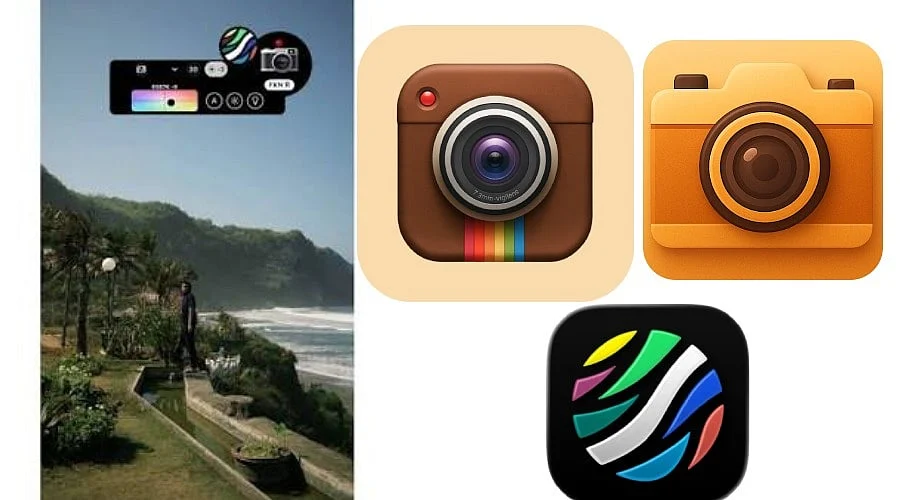
Dazz Cam simulates vintage film photography through retro cameras, textures, colors, and effects.
-
The application facilitates photography, video capture, manual adjustments, double exposure, and artistic lenses.
-
Dazz Cam is free to download, and advanced features can be unlocked via in-app purchases.
Dazz Cam is a vintage photography and video application that mimics the aesthetic of classic film cameras on mobile devices. Drawing inspiration from 1980s film photography, the software provides retro camera layouts, film-style hues, grain, textures, and video effects. Supported formats include 135 film, 120 film, toy cameras, slide film, half-frame cameras, instant cameras, disposable cameras, and 3D photography.
Download Dazz Cam
Dazz Cam is accessible for the iPhone and iPad via the Apple App Store. It is free to download with optional in-app purchases and currently demands iOS 16.0 or higher. Within the India App Store, Dazz Pro is priced at Rs. 399, whereas a one-time Dazz Pro purchase is listed at Rs. 1,299. Individual lens and camera effects are likewise offered as in-app purchases.
-
Apple App Store
-
Google Play
Dazz Cam is created by DAZZ PTE. LTD. and falls under the Photo & Video category. The platform supports English alongside several other languages.
About Dazz Cam
Dazz Cam aims to replicate analog photography styles without the need for heavy post-processing. The utility draws influence from 1980s classic film cameras, utilizing sampled film attributes to reproduce retro textures and colors.
Multiple photography formats are supported, such as 135 film, 120 film, toy cameras, slide film, half-frame cameras, instant cameras, disposable cameras, and 3D film photography. It also incorporates digital camera-style color profiles, including compact and CCD camera configurations.
For video recording, Dazz Cam supplies retro options modeled after 8mm and 16mm film cameras, VHS tapes, DCR units, movie cameras, and slide projectors. Additionally, users can import existing pictures for editing within compatible camera modes.
Extra utilities feature double exposure, a flash, timers, adjustments for color temperature and tint, exposure compensation, ISO and shutter-speed options, focal-length choices, stabilization settings, framing grids, fisheye effects, prism lenses, starburst lenses, color-flash filters, and ND filters.
How to Use Dazz Cam
-
Download Dazz Cam: Navigate to the official Apple App Store entry and install the program on a compatible iPad or iPhone.
-
Choose a Camera: Pick a vintage, film, instant, toy, digital, or video camera option that matches your desired aesthetic.
-
Frame Your Shot: Align your subject using the camera viewfinder along with any available composition grids.
-
Adjust Settings: Based on the chosen camera, alter the exposure, ISO, shutter speed, tint, color temperature, or focal length.
-
Add Effects: Apply elements like double exposure, fisheye, prism, starburst, color flash, or ND filters where supported.
-
Capture Photos or Videos: Shoot pictures or record video straight through your selected camera mode.
-
Edit Existing Photos: Bring saved photos into compatible camera modes to apply film-oriented effects.
-
Save and Share: Export your final images or videos for sharing on social networks.
Pros and Cons of Dazz Cam
Dazz Cam provides a complimentary download alongside optional in-app purchases. The India App Store lists Dazz Pro at Rs. 399 alongside a one-time Dazz Pro purchase option at Rs. 1,299. Separate add-ons feature effects like the ND Filter, Fisheye Lens, Flash Color, and distinct camera variations.
Also Read: OBS Studio | Video & Streaming | Open-Source Screen Recording, Streaming Software
Dazz Cam Specifications
Dazz Cam currently necessitates iOS 16 or newer and accommodates both iPhones and iPads. The App Store page lists the package size at roughly 146 MB in the India region.
Also Read: NoxPlayer: Features, Download Guide, Pros, Cons, Specifications
Is Dazz Cam Worth Using?
Dazz Cam is geared toward individuals seeking vintage-looking photos and videos without carrying a separate camera or undertaking a complex editing workflow. Its assortment of film-themed camera layouts offers diverse ways to mimic analog photography, while manual adjustments on compatible options supply heightened creative versatility.
The application proves especially beneficial for people drawn to retro photography, film-style captures, VHS-styled footage, disposable-camera aesthetics, and social-media content creation. Tools such as double exposure, fisheye, prism, starburst, and color-flash effects deliver options that go beyond standard filters.
Nevertheless, users should be aware that Dazz Cam employs a premium model for select cameras and add-ons. Although the software is free to acquire, Dazz Pro and specific effects necessitate extra purchases. The India App Store also provides a one-time Pro purchase alternative for users wanting to avoid ongoing subscriptions.
On the whole, Dazz Cam serves as a solid choice for iPad and iPhone owners desiring an authentic vintage camera experience, particularly those eager to capture images and videos featuring film-derived colors, textures, and retro effects rather than applying traditional filters post-capture.
FAQs
What is Dazz Cam used for?
Dazz Cam emulates vintage film photography utilizing retro camera aesthetics, analog colors, grain, textures, and artistic photographic effects.
Is Dazz Cam free to download?
Yes, Dazz Cam can be downloaded at no charge, though several advanced cameras, effects, and features mandate in-app purchases.
Does Dazz Cam support video recording?
Yes, Dazz Cam accommodates retro video formats modeled after 8mm, 16mm, VHS, motion picture cameras, and alternative vintage recording mediums.
Is Dazz Cam available on Android?
The official Dazz Cam application is currently restricted to iPhones and iPads via the Apple App Store.
What creative effects does Dazz Cam offer?
Dazz Cam features double exposure, fisheye, prism, starburst, colour flash, ND filters, and manual adjustments on supported camera formats.