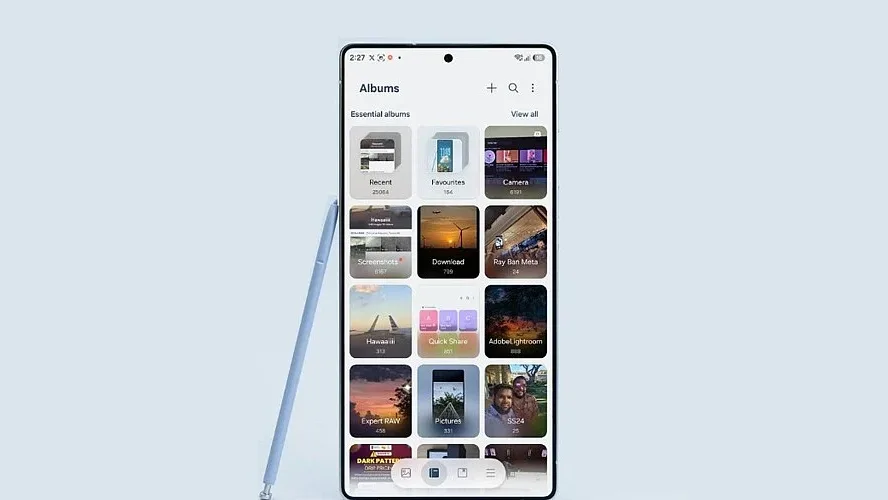
Samsung has officially integrated Google Photos backup into its Gallery app, providing Galaxy users with an alternative method for storing and viewing their pictures and images across multiple devices. At present, the feature remains restricted to users running a newer iteration of Samsung’s software.
Although the deployment started in September 2026, it has recently reached a broader range of Galaxy products. Samsung is distributing the capability in stages, with the initial phase restricted to compatible tablets and smartphones operating on One UI 9.0.
This update additionally shifts Samsung’s cloud storage strategy, superseding the former Microsoft OneDrive synchronization for the Gallery.
How Google Photos Integration Works
Through the new Gallery Sync setting, users can link their Google account straight into the Samsung Gallery application. With this activated, pictures and videos back up to Google Photos and become accessible on supported Samsung hardware.
Also Read: Samsung Memory App Could Organize Screenshots, Links and Voice Notes with Galaxy AI in One UI 9.5
The functionality draws upon the user’s existing Google account storage allocation. This incorporates the standard 15GB complimentary limit distributed between Google Drive, Gmail, and Google Photos, alongside any extra capacity bought via Google One.
Rather than syncing the entire device automatically, users are able to designate specific folders and individual albums for backup. A further practical addition is the “Free up space” tool, which lets users delete local files to reclaim device storage once the media has finished backing up, leaving the saved content viewable inside Google Photos.
Even so, the connection does not import an entire Google Photos library into the Samsung Gallery; only files synchronized through this specific Gallery integration are displayed within Samsung’s application.
Which Galaxy Devices are Eligible?
At this stage, the function demands One UI 9.0 or higher, which operates on Android 17. Samsung notes that rollout will progress gradually to more Galaxy hardware, varying by region and device model. To look for the setting, users can open the Samsung Gallery, tap the Menu icon, go to Settings, and pick “Sync photos and videos.”
Also Read: Samsung Rolls Out Wear OS7-Based One UI 9 for Galaxy Watch 8
A standard personal Google account is necessary, as Google Workspace accounts remain incompatible. This update supplies Galaxy owners with a streamlined link between Google’s cloud storage and Samsung’s native Gallery. Nonetheless, users ought to exercise caution when handling backed-up images, as synchronized deletions apply to both platforms.