Overview:
-
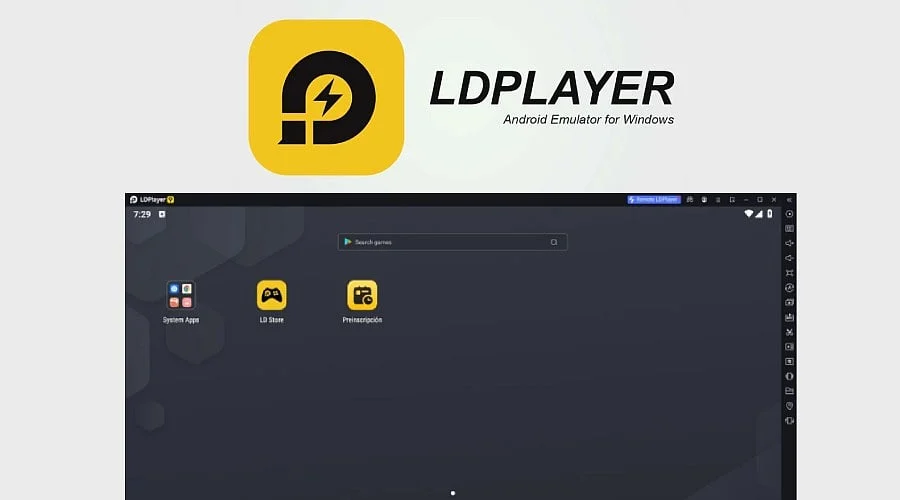
LDPlayer functions as a free Android emulator designed for Windows 10 and 11.
-
Version 14.0.29.0 is the latest listed build, with an update date of September 23, 2026.
-
Built-in features include key mapping, macro recording, and multi-instance control.
-
Users can select from versions built on Android 9 or Android 14.
Playing mobile games on a small phone screen often falls short of modern demands. Long gaming sessions in shooters, strategy games, and role-playing titles cause devices to heat up and drain batteries rapidly. Consequently, many users seek a more stable and expansive setup.
By converting a Windows PC into an Android environment, LDPlayer addresses this requirement. It provides a standard home screen, access to the Google Play Store, along with mouse and keyboard navigation. Professionals and students also leverage the software to run Android apps on desktop computers. This overview details its specifications, download options, advantages, drawbacks, and core features.
Download LDPlayer
The official website provides Windows installers for LDPlayer. Two primary options appear on the download page: LDPlayer 9 and LDPlayer 14 Beta. The installer is also listed by Gizmodo, whose Google Safe Browsing verification found no security issues. Nevertheless, users ought to acquire files exclusively from secure sources.
Windows: Official LDPlayer Download Page
Windows: Gizmodo LDPlayer Download Page
Android (APK): Official LDPlayer App Download Page
About LDPlayer
What Is LDPlayer?
Developed by a company based in Hong Kong, LDPlayer is a Windows Android emulator. It simulates a virtual mobile device equipped with a settings page and app drawer. Users can download games directly from the Google Play Store, mirroring the mobile experience. Additionally, an AppEsteem certification badge is featured on the official site.
Also Read: Dazz Cam Vintage Camera App: Features, Download Guide, Pros and Cons
Key Features
-
Android Versions: LDPlayer 9 operates on Android 9, while LDPlayer 14 Beta features an Android 14 foundation.
-
Key Mapping: Cloud-based presets enable immediate gameplay for major titles without requiring manual configuration.
-
Controller Support: Most game genres accommodate direct gamepad connections.
-
Multi-Instance: Multiple accounts can run simultaneously in distinct windows using synchronized controls.
-
Macros: Automated script recording handles repetitive action sequences and button combos.
-
Frame Rate: Performance settings support high frame rates, with select guides mentioning up to 120 FPS.
-
Compatibility: Support is included for both 64-bit and 32-bit applications.
-
Publisher Partnerships: Collaborations span hundreds of game publishers, featuring prominent titles like Rise of Kingdoms and Genshin Impact.
System Requirements
LDPlayer outlines specific minimum hardware requirements for optimal performance. These consist of at least 2 GB of RAM, support for OpenGL 2.0 or DirectX 11, and AMD-V or Intel VT-x virtualization capabilities. Enabling hardware virtualization within the BIOS generally enhances performance. Furthermore, builds from 2026 support active Hyper-V configurations, benefiting developers utilizing Docker or WSL.
How to Use LDPlayer
-
Download the Installer: Obtain the setup package from the official site and execute it on your Windows machine.
-
Choose a Version: Pick LDPlayer 9 for established stability or LDPlayer 14 Beta to test the newer Android system.
-
Sign In: Launch the Google Play Store and log in using a valid Google account credentials.
-
Install Games: Look up desired applications or games and click Install, exactly as you would on a phone.
-
Set Controls: Access the keyboard overlay icon to apply preset configurations or assign custom keys.
-
Add More Windows: Launch the multi-instance manager to generate additional windows for running supplementary accounts.
Pros and Cons of LDPlayer
LDPlayer is ideal for users seeking performance and enhanced control on Windows PCs. Limitations typically stem from platform constraints and specific game rules.
LDPlayer Specifications
Final Words
LDPlayer offers Android enthusiasts an efficient method for gaming on a larger display. Both casual and dedicated players benefit from its controller support, multi-instance capabilities, and key mapping. Its accessibility is further enhanced by a straightforward setup process and a free license.
Selecting between LDPlayer 14 Beta and LDPlayer 9 depends largely on individual software preferences. Stable releases fit the majority of games, whereas the beta version introduces a more recent Android framework. Prospective downloaders should verify their hardware constraints and ensure virtualization remains active.
Also Read: OBS Studio | Video & Streaming | Open-Source Screen Recording, Streaming Software
FAQs
1. Is LDPlayer free to use?
Yes, LDPlayer operates as free Windows software. It can be downloaded and used without license fees or subscriptions, though specific games and applications running inside the emulator may feature separate in-app purchases.
2. Which operating systems support LDPlayer?
Engineered explicitly for Windows, current versions of LDPlayer support Windows 10 and 11. Because there is no official macOS build, Mac users typically rely on alternative emulators like BlueStacks.
3. What is the difference between LDPlayer 9 and LDPlayer 14?
LDPlayer 9 utilizes an Android 9 base, making it compatible with most software. LDPlayer 14 Beta incorporates an Android 14 core designed for improved performance, though beta releases may occasionally experience stability concerns.
4. Can LDPlayer run multiple game accounts at once?
Yes, the built-in multi-instance manager creates separate virtual windows for individual accounts. A synchronizer utility can replicate commands across all open windows, provided the PC has sufficient CPU cores and RAM allocated to each instance.
5. What PC specifications does LDPlayer need?
Basic system prerequisites include 2 GB of RAM, DirectX 11 or OpenGL 2.0 graphics compatibility, and AMD-V or Intel VT-x virtualization. Higher-tier hardware facilitates better frame rates and smoother multi-instance multitasking.