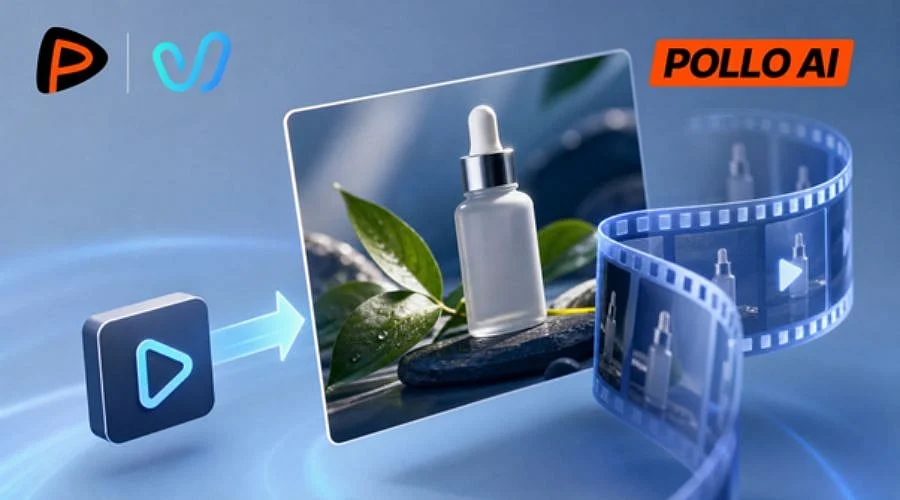
E-commerce sellers occasionally lack the budget or time required to produce a dedicated video for every item in their catalog. Vidu Q4 by Pollo AI offers a solution by generating promotional videos from a single product photo, complete with motion and sound effects. Maintaining visual consistency for the product throughout the entire clip is the key priority.
Here is how to build a short product ad using Vidu Q4 on Pollo AI, covering everything from initial image preparation to polishing the final video.
Step 1: Prepare a Product Image
Choose a Clear Starting Image
Select a sharp photograph that accurately displays the packaging, color, and shape of the item. A clean background alongside even lighting minimizes visual clutter for the model.
Create an Image if Needed
When the original snapshot isn’t ideal, Nano Banana 2.1 on Pollo AI can assist in generating a fresh product setting. Always confirm that the resulting image accurately represents the actual proportions, logo, and packaging of the merchandise.
Step 2: Open Vidu Q4 on Pollo AI
Navigate to the Vidu Q4 section on Pollo AI, launch the image-to-video workflow, and upload your product photo.
Determine the primary focus of the ad, the desired camera angles, and audio requirements prior to generation. A straightforward, clean shot is generally simpler to manage than a cluttered scene full of effects and rapid actions.
Step 3: Generate the Product Ad
Write a Specific Prompt
Avoid generic requests for cinematic video and instead describe the exact composition of the shot. Be sure to detail the lighting, camera movement, and on-screen actions, while also specifying which product features must remain unchanged.
As an illustration, a skincare advertisement might feature a bottle resting on a clean countertop while the camera slowly pans inward. Soft illumination highlights the packaging without altering the bottle’s shape, label, or color.
Keep the Motion Simple
A single photo cannot depict every angle of a physical item. Requesting a full 360-degree rotation often results in distorted imagery or altered packaging.
Start with basic camera movements, such as a gentle side pan or a simple zoom-in, to guarantee the item remains the central focus.
Step 4: Review and Refine the Video
Examine the resulting video clip for distorted shapes, altered logos, warped labels, flickering reflections, or unintended background shifts. A clip may look polished at first glance while still containing inaccuracies regarding the physical product.
According to the official platform details, Vidu Q4 supports shot transitions, controlled camera motions, and synchronized audio in clips spanning up to 16 seconds. While these capabilities encourage experimentation, careful inspection remains essential.
If discrepancies arise, modify one element at a time. Simplify the camera paths if product distortion occurs, or trim the action if the sequence feels overly busy.
Step 5: Prepare the Video for Its Platform
Keep the final distribution channels in mind when exporting your file. TikTok, YouTube Shorts, and Instagram Reels generally require vertical formats, whereas website product pages often benefit from horizontal compositions.
Ensure the merchandise stays clearly visible from the beginning to the end of the video. You can further refine the clip with an external editor to incorporate text overlays, calls to action, or audio tweaks. Never use AI-generated visuals to substantiate unverified claims about the product.
Tips for Creating Better Product Ads with Vidu Q4
-
Keep the prompt focused. Outline the lighting, camera paths, and composition before generating. Skip extra actions when a clean, simple shot suffices.
-
Check the details before publishing. Verify that the logo, label, and product remain authentic, that the audio and text match, and that the aspect ratio suits your target platform.
-
Make targeted revisions. If the initial output misses the mark, adjust a single variable rather than rewriting the complete prompt from scratch.
Conclusion
Vidu Q4 for Pollo AI supplies a straightforward method for turning a lone product photograph into a dynamic promotional video. Success relies on starting with a strong photo, applying appropriate camera motion, and thoroughly checking the output for visual defects. E-commerce merchants looking to generate video content from product snapshots without staging a new photoshoot can easily test out this software.