Key Takeaways –
-
Verify software longevity and phone compatibility prior to evaluating prices.
-
Examine battery health, charging capabilities, sensors, display, and physical buttons.
-
Confirm the removal of previous user accounts and check the cellular status before handing over payment.
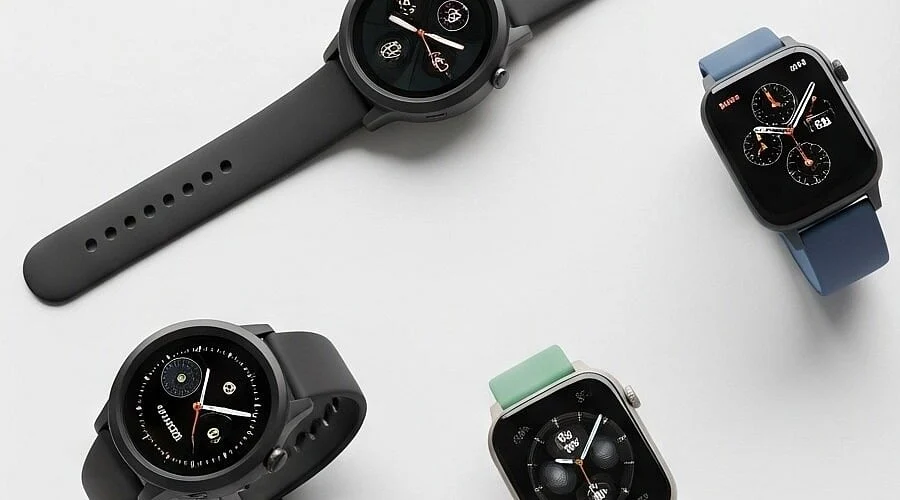
Purchasing a used smartwatch can seem like an incredible bargain until you encounter setup roadblocks, rapid battery depletion, or connectivity issues with your phone. A low price loses its appeal if the device lacks remaining software support. Ensuring a safe transaction means investigating the specific model, current software standing, phone compatibility, account lock status, battery health, and physical condition.
Check Software Support Before the Price
Software longevity currently holds more importance than the physical age of the device. Apple’s present watchOS 27 functions with the Apple Watch Series 9, Series 10, Series 11, Series 12, SE 3, Ultra 2, and Ultra 3, when paired with an iPhone 11 or newer, or an iPhone SE 2nd generation or newer operating on iOS 27. Older Apple Watch models may still function, but those omitted from this list have limited access to future features and updates.
A parallel situation exists with Samsung. Samsung’s compatibility data from September 2026 establishes support running from the Galaxy Watch4 through the Galaxy Watch9 alongside newer releases, though each generation dictates distinct phone requirements.
Specifically, the Galaxy Watch6 demands Android 10 or newer, the Watch7 requires Android 11 or newer, and the Watch8 calls for Android 12 or newer. The Galaxy Watch9 and Watch Ultra2 mandate Android 13 or newer. Furthermore, Samsung confirms that current Wear OS Galaxy Watches are incompatible with iPhones.
Google maintains a strict update schedule for Pixel Watch variants. The Pixel Watch 2 secures guaranteed software updates through at least October 2026. The Pixel Watch 3 has coverage until October 2027, the Pixel Watch 4 through October 2028, and the Pixel Watch 5 through October 2029. Meanwhile, the original Pixel Watch concluded its support window in October 2025—a critical detail to weigh if an early Pixel Watch surfaces at a steep discount.
Check the Account Lock Before Payment
An active account lock easily transforms an affordable smartwatch into a paperweight. Apple implements this via Activation Lock, a security measure that tethers an Apple Watch to the former owner’s Apple Account, barring any new user from pairing the hardware without those exact credentials. Apple strongly recommends ensuring the seller disables Activation Lock and completely resets the watch prior to any transaction.
Executing a live setup test remains the most reliable precaution. The seller should unpair, wipe, and detach the device from their account, after which the buyer attempts the initial pairing sequence. Prompting for the past owner’s Apple Account password indicates that Activation Lock remains engaged. Additionally, cellular-enabled Apple Watches necessitate the removal of any lingering mobile plans.
Battery Health Can Change the Deal
A smartwatch can present a pristine cosmetic appearance while hiding years of internal battery degradation. Apple notes that rechargeable lithium-ion cells inherently lose capacity over time as their chemical age increases. Diminished maximum capacity limits daily operational lifespan and can restrict peak device performance. Supported Apple Watch editions feature a dedicated Battery Health screen displaying a Maximum Capacity metric relative to a brand-new cell.
A thorough evaluation should test the charging puck, battery percentage retention, display, physical buttons, digital crown, speaker, microphone, haptic motor, heart-rate monitor, and GPS. Pay close attention to operating temperature; a battery percentage that plummets during a brief inspection points to severe wear. Screen burn-in, dead pixels, unresponsive touch inputs, cracked sensor glass, or a loose chassis introduce repair expenses that quickly erase initial cost savings.
Also Read – Apple Watch Series 12 vs Series 11: Specifications, Key Differences
Check LTE and Phone Support
Acquiring a cellular-capable variant involves more than just verifying an LTE label. Apple specifies that a secondhand cellular Apple Watch requires the prior owner to completely cancel and remove their mobile plan prior to transfer. Furthermore, regional variants and exact model numbers dictate whether local carriers will support the device.
Samsung enforces strict limitations of its own. The Galaxy Watch4, Watch5, Watch6, Watch7, Watch Ultra, and Watch FE do not support the iPhone. Legacy Tizen devices operate under entirely separate guidelines, and select older Gear models are no longer compatible with modern Samsung smartphones running recent Android iterations.
Compare the Used Price With Newer Models
Pre-owned pricing drops swiftly in the secondary market. Data from a June 2026 Swappa guide shows that a secondhand Samsung Galaxy Watch typically commands half its original retail price or less. The same report highlights that the Galaxy Watch4 no longer receives system updates, whereas Samsung pledges five years of support for the Galaxy Watch9. Current market metrics place the average used price for a Galaxy Watch8 around USD 181, compared to its initial USD 349.99 retail debut.
This price gap illustrates why the cheapest option is rarely the most economical choice over time. Paying slightly more often secures newer software, superior battery longevity, extended support, and fewer pairing hurdles. True value stems from the usable lifespan remaining after purchase rather than the size of the initial discount.
Also Read – When Should You Charge Your Galaxy Watch?
A Final Check Before the Deal
Confirm that the physical hardware matches the advertised specifications, that the watch successfully pairs with your intended smartphone, that prior user accounts are completely wiped, and that the battery withstands a real-world check. Ensure all screens, buttons, and sensors operate smoothly, the charging hardware functions, and LTE models feature verified carrier and account standing.
Purchasing a secondhand smartwatch remains a viable way to secure great value in 2026. Success hinges on treating software support, account clearance, battery condition, and phone compatibility as non-negotiable elements of the purchase. A flawless exterior looks appealing, but a device nearing the end of its support lifecycle can quickly become an expensive mistake.
FAQs
1. Is an older smartwatch still worth buying in 2026?
Yes, an older smartwatch can offer good value if it has useful software support, healthy battery life, and compatibility with the intended phone.
2. What matters most when buying a used smartwatch?
Software support, battery condition, account locks, phone compatibility, LTE status, and physical condition deserve the most attention.
3. How can an account lock cause problems?
An account lock can prevent a new owner from pairing or activating the watch without the previous owner’s credentials.
4. Should battery health affect the purchase price?
Yes. Heavy battery wear can reduce daily use time and may create an extra repair or replacement cost.
5. Is an LTE smartwatch better than a GPS-only model?
Not necessarily. LTE adds cellular capability, but carrier support, model compatibility, account status, and actual need for cellular service all matter.