Key Takeaways :
-
Fresh Interface: New lock screen clocks, adaptive colours, transparent widgets and redesigned system icons offer more personalisation.
-
Smarter Features: Glyph Timer, Essential Space upgrades, AI-powered tools and real-time translation make everyday tasks easier.
-
Better Performance: Android 17 enhancements promise smoother animations, faster app launches and improved memory management
Nothing OS 5.0 represents a significant software update tailored for Nothing smartphones. It introduces a revamped home screen experience, expanded Glyph capabilities, and an assortment of advanced AI integrations, all constructed on top of Android 17. The software was initially previewed on August 25, 2026, with a beta program launching the following day. The stable release commenced on October 12 and continues to roll out to additional device models in successive waves.
A Fresh Look Across the Interface
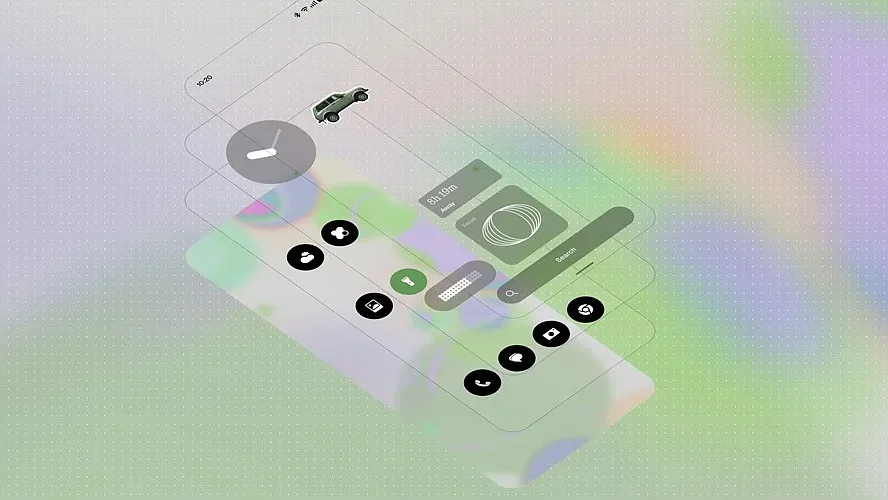
While retaining the signature minimalist aesthetic associated with the brand, the software provides expanded options for user customisation. Interface tones can adapt to match your wallpaper, tinted app icon choices maintain home screen uniformity, and widgets can be set to transparent so your background imagery shows through completely. System icons have been entirely redrawn, and the Geist typeface is now integrated within Settings, Camera, Gallery, and the status bar.
Two distinct clock styles arrive for the lock screen. The Gooey option provides a bold and playful look, whereas Micrographics takes inspiration from physical hardware aesthetics to prioritize quick information access.
Glyph Tools Gain More Purpose
Previously utilized primarily for standard notifications and visual effects, the Glyph lighting system receives functional expansions in this release. The Glyph Timer feature allows users to initiate a visual countdown directly from the home screen and monitor its progress on the rear of the device. Additionally, a centralized Glyph application consolidates all lighting controls into one dedicated location rather than keeping them dispersed.
Several other enhancements deserve mention. The Collector utility transforms favorite pictures into custom stickers depicting people, places, or objects, which can then be placed directly onto the home screen. Away Time monitors duration away from the device, recording personal usage metrics such as longest intervals without checking the phone and weekly trends. Furthermore, batch-editing functionality permits the simultaneous relocation of multiple applications and widgets, simplifying home screen organization.
Also Read – iPhone 16 vs Galaxy S25 vs Nothing Phone 3: Which One to Pick?
AI and Android 17 Add New Tools
Essential Space gains expanded functionality. Smart Collections systematically groups related captures together, and Essential Search improves the retrieval of stored materials. The system also introduces support for the Model Context Protocol (MCP), enabling compatible AI tools to access specific, selected information stored within Essential Space.
Essential Voice introduces enhanced transcription accuracy, cleaner text layouts with automated summaries, and real-time translation capabilities for spoken audio. Meanwhile, the Essential Apps Builder empowers users to construct basic applications through simple, natural-language commands.
Not all features will be available immediately upon installation, as certain capabilities rely on Google Play updates or staggered distribution schedules. For instance, the updated Essential Space capture interface is slated for a November release, with real-time translation arriving at a later date.
Android 17 introduces its own suite of system modifications: separated zones for notifications and Quick Settings, upgraded Quick Share functionality, more distinct privacy indicator lights, and a fresh screen capture utility. Additional inclusions encompass broader dark-theme compatibility, Noto 3D emojis, independent volume sliders for voice assistants, a restructured Recents overview screen, and improved high dynamic range (HDR) handling.
Performance, Rollout and Device Support
According to Nothing, the update targets accelerated application launch speeds, fluid scrolling behavior, heightened touch sensitivity, and more consistent UI animations. Memory management optimizations are also integrated to decrease background app reloading, alongside simplified Bluetooth pairing and disconnection processes.
Despite these optimizations, official benchmark statistics regarding processor speeds, gaming framerates, or battery endurance have not been published by the company, meaning real-world results will likely fluctuate depending on individual hardware models and user habits.
Initial deployment of the stable update targeted the Phone (3), Phone (4a), Phone (4a) Pro, Phone (3a), and Phone (3a) Pro. The distribution roadmap schedules subsequent updates for the Phone (2a) and Phone (2a) Plus in mid-November, the Phone (3a) Lite in late December, and the Phone (4b) and CMF Phone 2 Pro by mid-January 2027. Conversely, the older Phone (1), Phone (2), and CMF Phone 1 are excluded from the deployment plan for Nothing OS 5.0.
Also Read – Nothing OS 5.0 Gets Major Android 17 Upgrade: Check New Features
A More Personal and Useful Nothing OS
Nothing OS 5.0 distributes its development focus evenly across aesthetic refreshment, practical utility features, and foundational system polish. Additions like the alternative lock screen clocks, Glyph Timer, and streamlined home screen manipulation allow for deeper device personalisation. Essential Space simplifies data organisation and retrieval, while the underlying Android 17 software modernises the core system. Ultimately, long-term battery endurance, gaming performance, and application stability over weeks of daily use will determine the true impact of these updates beyond the visual redesign.
FAQs
1. What is Nothing OS 5.0?
Nothing OS 5.0 is a major software update based on Android 17, introducing interface redesigns, new Glyph features, AI tools and performance improvements.
2. What are the biggest new features in Nothing OS 5.0?
Key additions include Glyph Timer, Gooey and Micrographics lock screen clocks, Essential Search improvements, Smart Collections, transparent widgets and Essential Apps Builder.
3. Does Nothing OS 5.0 include AI features?
Yes. It introduces enhanced Essential Space features, improved voice transcription, summaries, real-time translation and AI-powered simple app creation.
4. Which Nothing phones will receive Nothing OS 5.0?
Supported devices include the Phone (3), Phone (4a), Phone (4a) Pro, Phone (3a), Phone (3a) Pro, Phone (2a), Phone (2a) Plus, Phone (3a) Lite, Phone (4b) and CMF Phone 2 Pro.
5. Will Nothing OS 5.0 improve battery life and gaming performance?
Nothing promises smoother performance, faster app launches and better memory management. However, independent battery life and gaming benchmarks have not been published.