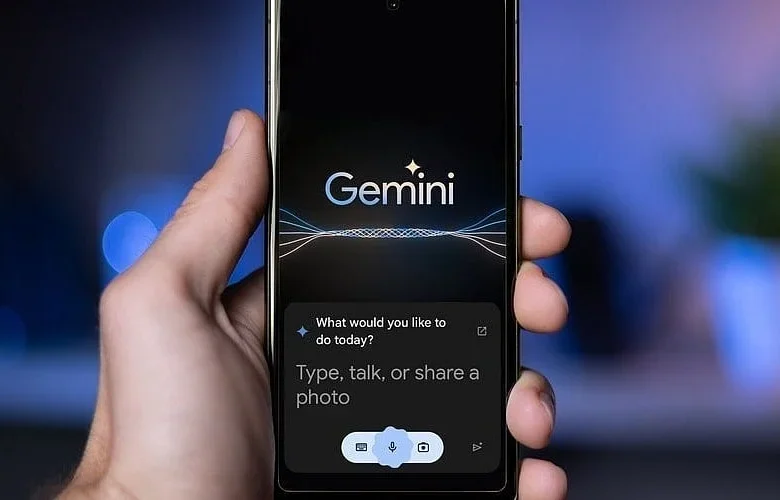
Google has equipped its Gemini app with fresh file-creation and editing functions, allowing individuals to build, preview, and modify documents, spreadsheets, and presentations right inside their chats. This enhancement transforms an artificial intelligence response into a functional file instantly, removing the need to jump across different programs.
The technology corporation launched the update on October 29 alongside a refreshed Gemini overlay for a broader range of Android devices. These modifications build upon the application’s previous functions, providing enhanced choices for building and polishing content via AI-driven help.
Also Read: Gemini is Becoming More Than a Chatbot as Google Opens the Door to More Apps
Gemini Can Now Generate and Edit Files Within Chats
The newest software revision lets people build text files, spreadsheets, and presentations using targeted prompts. Individuals are able to preview these produced files right inside the ongoing dialogue, examine the material, and request subsequent modifications.
Furthermore, users can highlight particular parts to ask for revisions or submit follow-up inquiries. Gemini is capable of producing outlines and slide text for slideshows, displaying layout previews, and modifying the structure or tone according to user directives. Finished presentations can either be viewed in Google Slides or exported as PDF and PPTX files.
Additionally, the AI helper can build structured data models, tables, and trackers directly from prompts. People can inspect these spreadsheets inside Gemini prior to launching them straight into Google Sheets.
PDF and Document Editing Support
The revised file utilities within Gemini additionally accommodate the creation and revision of PDFs, Markdown, TXT documents, Google Docs, and LaTeX. Individuals can apply manual updates or instruct Gemini to polish the text using either a full-screen editing display or an inline preview. Documents may also be saved directly to Google Drive.
That said, availability across different platforms differs depending on the format. Editing and previewing PDFs functions across both Gemini mobile apps and the web platform. Meanwhile, Google Slides, Google Sheets, Google Docs, TXT files, Markdown, and code elements are restricted to the web version at present.
Gemini Gets Redesigned Overlay On Android
In tandem with the file-creation enhancement, Google is extending its updated Gemini interface overlay to all Android phones and tablets. This revised layout incorporates a pill-shaped translucent bar, enhanced blur styling, plus extra animated elements and colored specks.
Google initially debuted this aesthetic on handsets featuring Gemini Intelligence—such as the Pixel 11—prior to bringing it to alternative Android hardware. Individuals who are unable to view the refreshed look might need to perform a force-stop on the Google application.
According to the tech enterprise, the file creation and editing tools are accessible to individuals across every language where Gemini operates. The update aims to boost daily productivity by combining content creation and revision tasks into one unified workspace.