Overview :
-
Engineers craft new features, security patches, and system enhancements prior to combining them into unified operating system builds.
-
Manufacturers evaluate hardware compatibility, performance, and network performance prior to preparing software for certification, phased rollouts, and OTA delivery.
-
Mobile devices authenticate downloaded files, update system partitions, reboot during the installation procedure, and finalize background optimization post-deployment.
A mobile operating system update often looks like a simple notification prompting you to press ‘Download and Install.’ Beneath that button, however, lies an extensive software creation and evaluation cycle engaging OS engineers, hardware manufacturers, chipset providers, application developers, network carriers, and security specialists.
From drafting initial code lines to pushing the final package out to millions of handsets, multiple distinct phases must align before an update lands on your device.
Development Starts with New Software
Mobile OS updates begin in the development phase. Programmers build the core underlying software and evaluate separate elements before compiling them into comprehensive builds. Major releases frequently bring overhauled user interfaces, fresh privacy controls, revised system apps, and modifications to how hardware and software interact.
Security updates generally concentrate more specifically on vulnerabilities, patches, and stability fixes.
The Operating System Must Work with Hardware
A smartphone operating system cannot function independently from the physical components inside the unit.
Processors, graphics units, cameras, modems, screens, and other hardware elements depend on software drivers and firmware to interface properly with the OS. Consequently, chipset vendors play a critical role in the update pathway.
This is a primary reason Android updates require varying amounts of time to reach different phone models. Brands must tailor the operating system to fit the diverse hardware layouts found across their device lineups.
For Android hardware, OEMs can customize the user interface, incorporate proprietary apps, and deploy device-specific capabilities. They must also verify that the package functions seamlessly with their unique hardware and software configurations—a vital requirement when a brand markets multiple devices featuring varied processors, cameras, displays, and memory architectures.
Also Read: Wear OS 7 Rollout Brings Gemini AI, Live Updates, & Smarter Features to Pixel Watches
Testing Happens Across Multiple Stages
Prior to reaching the public, an update undergoes rigorous assessment.
Engineers test whether core functions like voice calls, messaging, Wi-Fi, Bluetooth, cameras, cellular data, charging, and power management operate without disruption. They also actively screen for application crashes, compatibility glitches, and performance bottlenecks.
Beta testing programs add an extra layer of evaluation. Enrolled users obtain early software builds and report bugs that internal testing teams might overlook.
This user feedback can prompt supplemental code fixes prior to the commercial rollout.
Certification and Carrier Testing
Certain devices require evaluations by telecommunication providers and additional partners, particularly when an update impacts network-dependent functions.
Such testing confirms that the smartphone maintains reliable performance on approved cellular networks and associated services.
This validation phase can create schedule discrepancies regarding when updates arrive across different countries, network providers, and device editions.
The Update is Prepared for Distribution
Once evaluation wraps up, the manufacturer readies the final software bundle for public release.
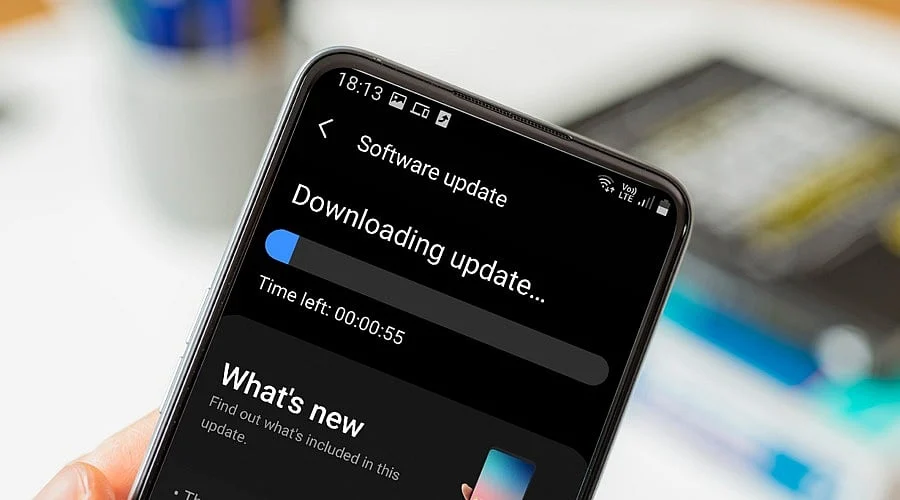
Patches are frequently distributed over the air, widely referred to as OTA updates. Rather than forcing users to visit a service center or plug their devices into a desktop computer, the phone downloads the software directly.
Companies frequently employ staged rollouts as well. Instead of broadcasting an update to every compatible phone simultaneously, they initially push it to a smaller user cohort.
Should critical bugs surface, rollout activities can be paused while engineers investigate the glitch.
Your Smartphone Checks For the Update
When fresh software becomes available, the mobile device periodically queries the designated update server to determine if a release exists for its exact model number and software iteration.
The phone may present details about the update, outlining its file size and change log. Depending on the specific handset, users can trigger an immediate download or schedule the installation for later.
Prior to executing the installation, the device typically validates the software package to guarantee it is legitimate and has not been tampered with.
Installation Replaces or Updates System Components
During the installation procedure, the handset applies the new software code to appropriate system partitions and directories.
The unit may reboot multiple times throughout this sequence. System apps, hardware drivers, and secondary components are updated simultaneously.
Contemporary handsets utilize safeguards built to make software updates more resilient. If an update procedure encounters errors under standard conditions, built-in recovery routines help prevent the phone from turning into an unusable brick.
Why Updates Arrive at Different Times
Not every smartphone obtains an update on the exact same calendar day.
Release schedules depend on the specific handset model, geographic region, manufacturer, processor type, carrier specifications, and testing milestones. Legacy devices may also adhere to support timelines that differ from brand-new flagships.
Particularly for Android users, the vast array of hardware makers and device builds means the journey from a Google-engineered Android release to an individual phone involves several supplementary steps.
What Happens after Installation?
Once the system update finishes installing, the phone continues executing background tasks. Applications may run optimization routines for the new OS, file directories can reorganize, and system services finish supplementary configuration steps.
Users might observe fresh features, visual interface adjustments, enhanced security protocols, or shifts in battery longevity and processing speed. Occasionally, brands issue post-launch follow-up patches to resolve bugs uncovered after broader deployment.
Also Read: Nothing OS 5.0 Gets Major Android 17 Upgrade: Check New Features
FAQs
1. Why do smartphones receive OS updates at different times?
Update timing varies because manufacturers must adapt software to specific hardware, complete testing, meet carrier requirements and coordinate regional distribution schedules.
2. What does OTA update mean?
OTA means Over-The-Air, allowing smartphones to download and install operating system updates directly without requiring computers, cables or service-centre assistance.
3. Why does hardware affect operating system updates?
Processors, cameras, modems, displays and other components require compatible drivers and firmware, making hardware-specific testing and software adaptation necessary before deployment.
4. What happens if an OS update fails during installation?
Modern smartphones use recovery mechanisms designed to protect system integrity, helping devices recover from supported installation failures without becoming unusable.
5. Why do manufacturers use staged software rollouts?
Staged rollouts let manufacturers monitor updates across smaller user groups, identify serious problems and pause distribution before wider deployment when necessary.