Discover six essential TikTok editing tools to learn before posting, including trimming, text overlays, filters, audio, transitions, and speed adjustments to enhance your videos.
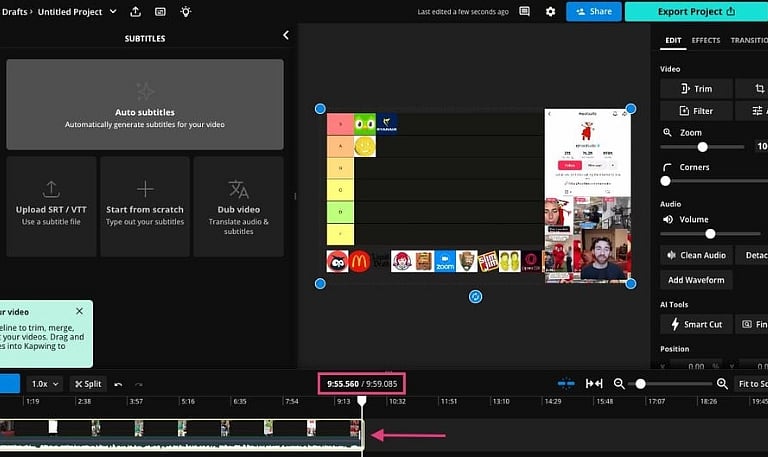
Trim and Cut Videos: Creators can utilize TikTok’s trimming utilities to eliminate unwanted footage, condense clips, and enhance video pacing prior to publication. By modifying the start and finish of recordings, you keep the critical highlights centered. Exact cuts simplify video navigation for audiences scrolling through their feeds, which proves especially beneficial for tutorials, product demonstrations, transitions, or brief storytelling pieces.
Add Text Overlays: Essential details can be emphasized, topics introduced, and comprehension improved through text overlays. The platform allows users to personalize text styles, colors, positions, and how long messages remain on screen. Text can also be timed to match exact moments within the footage. To convey primary points without drawing attention away from the central video, opt for legible fonts and brief phrasing.
Apply Filters and Effects: To alter video aesthetics, boost creative expression, and build a unified visual aesthetic, TikTok provides a selection of filters and visual effects. Depending on what is accessible, these effects introduce animations, distortions, backgrounds, or supplementary visual elements. It is best to test various choices prior to publishing, selecting effects that enhance your material rather than overshadowing the core message.
Use Sounds and Music: The platform’s audio features enable makers to incorporate music, voice recordings, and sound effects into their projects. Volume levels can be fine-tuned to maintain harmony between background tracks and spoken dialogue. Select audio tracks that suit your footage and verify usage rights, specifically for business-related uploads. Properly mixed audio enhances definition and boosts audience engagement.
Add Transitions: Linking distinct clips together for more seamless visual sequences is achieved through transitions. TikTok supplies transition options that render scene switches more purposeful and visually appealing. These work well when shifting settings, displaying makeovers, or merging numerous video segments. Maintain consistency between transitions and the video tempo so that the styling reinforces the narrative rather than pulling focus from the viewer.
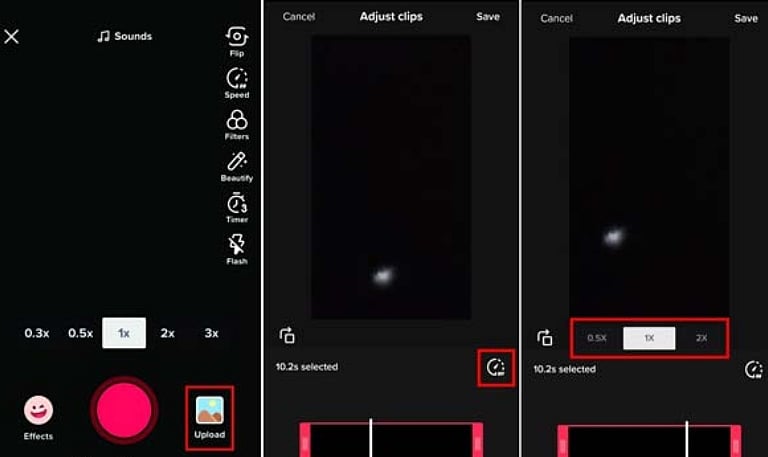
Adjust Clip Speed: Speed management tools give creators the ability to decelerate or speed up video segments to spotlight specific actions, build time-lapse effects, or refine rhythm. Slow-motion captures fine points, whereas accelerated playback shortens lengthy tasks into concise clips. Always review the outcome meticulously to guarantee that physical actions, speech, and sound match the desired viewing format.
Preview Before Posting: Watch your video completely from start to finish before sharing it publicly. Verify captions, spelling accuracy, sound mixing, clip synchronization, visual effects, and text positioning. Ensure that key elements stay in plain sight and that the clip delivers its point effectively. Conducting a final review catches errors and guarantees your work is polished for your target viewers.
Join our WhatsApp Channel to get the latest news, exclusives and videos on WhatsApp