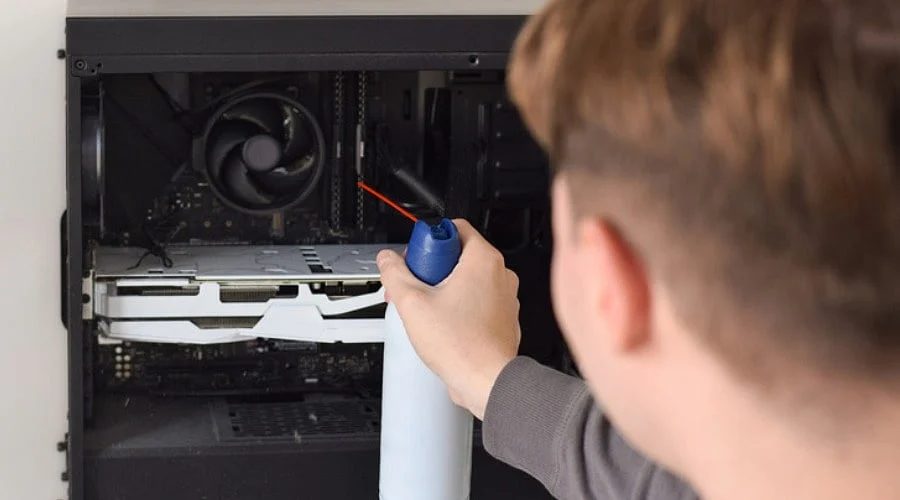
Overview
-
Always power down and unplug electronics before beginning the cleaning process.
-
Apply brief air bursts while keeping the nozzle at a secure distance.
-
Keep fans from spinning freely to safeguard delicate internal parts.
Dust and grime can accumulate inside and around electronic hardware, hindering airflow, thermal cooling, and overall functionality. While compressed air is an effective tool for clearing loose dust, improper use can harm fragile components.
Applying a few simple safety measures will make the process much safer, whether you are servicing a computer, keyboard, gaming console, or any other electronic gear.
Turn Off and Disconnect Device
Always shut down electronic devices completely and unplug them from their power source prior to cleaning. For laptops or other equipment equipped with a removable battery, take the battery out.
Never spray compressed air into active, powered-on equipment. Disconnecting the apparatus also minimizes electrical hazards during the maintenance routine.
Allow the hardware to cool off completely before you begin, particularly if it has been operating for a lengthy duration.
Choose the Right Compressed Air
Opt for a can of compressed air formulated specifically for electronics. Review the instructions and maintain an upright position with the container throughout the procedure.
Tilting or shaking the can improperly may cause the compressed air canister to discharge liquid propellant, which leaves unwanted moisture on electronic parts.
Refrain from using an air compressor unless you have verified it is appropriate for electronics. Certain compressors supply excessive pressure or introduce unwanted moisture or oil.
Also Read: Best Handheld Steam Cleaners for Chemical-Free Cleaning
Keep the Nozzle at a Safe Distance
Avoid placing the nozzle directly against the surface or piece you are servicing. Keep the compressed air canister at a secure distance from the item, utilizing brief air bursts rather than a continuous stream.
Release the air gently, increasing pressure only if necessary. Excessive pressure can harm sensitive connectors, delicate components, and other internal elements.
When clearing vents or openings, angle the airflow so that dust blows outward rather than driving deeper into the chassis.
Prevent Fans from Spinning
Cooling fans inside electronics, graphics cards, and computers can rotate at dangerous speeds when struck by compressed air. This can ruin the fan or induce an electrical current.
Secure the fan blades using your finger or a suitable non-conductive tool while cleaning. Proceed with brief air bursts to clear dust away from the blades and surrounding areas.
Never force a fan to rotate faster than its normal operating speed.
Clean in a Well-Ventilated Area
Compressed air scatters dust particles into the immediate atmosphere. Clean electronics in an open, well-ventilated space, moving outdoors or to a high-airflow area whenever possible.
Keep the container away from flames, heat sources, and other potential ignition points. Comply with all printed safety guidelines listed on the compressed-air canister.
Wear eye protection if debris or dust risks blowing back toward your face.
Also Read: Best Dyson Alternatives in India: 7 Cordless Vacuum Cleaners to Consider in 2026
Use Short Bursts
Extended sprays are rarely required; short blasts achieve better results while lowering the chances of high pressure or condensation buildup. Sweep the nozzle across the area instead of directing the airflow at a single spot for too long. For keyboards, flip the device upside down and use short blasts to dislodge dust and trapped debris between the keys.
Desktop computers should only be opened by removing the side panel after the system has been powered down.
Do Not Touch Delicate Components
Avoid physical contact with circuit boards and fragile internal parts while servicing the equipment. Static electricity can destroy electronic components. Handle pieces carefully and adhere to any manufacturer cleaning guidelines if available.
Compressed air should serve exclusively for dust removal and is never a replacement for proper repairs.
Check the Device Before Turning it on
Inspect the equipment post-cleaning to verify that no moisture or dirt particles remain. Check that all components sit in proper alignment prior to reassembly, especially if you opened the housing.
Finally, plug the unit back in and power it on. When performed correctly, compressed air offers an exceptional method for maintaining electronics. Remember these key rules: apply brief blasts, maintain your distance, prevent fan rotation, and keep the equipment powered off throughout the entire procedure.
FAQs
1.Can compressed air safely clean electronics?
Yes, compressed air safely eliminates dust from electronic devices when handled properly in line with manufacturer guidelines.
2.Should electronics be switched off before cleaning?
Always power down and unplug electronics prior to cleaning to lower electrical hazards and shield internal parts from harm.
3.How should compressed air be sprayed?
Apply short bursts from a secure distance, keeping the nozzle away from sensitive areas and steering clear of excessive pressure.
4.Can compressed air damage electronic fans?
Yes, rapidly spinning fans can suffer damage; keep the blades stationary and use controlled air bursts.
5.Can compressed air leave moisture on electronics?
Yes, improperly tilting the container can release liquid propellant, leaving residue or moisture on sensitive parts.